USTER
®
HVI SPECTRUM
Instruction Manual
3.1 Length/Strength Calibration
Calibrations for Short and Long Cotton are performed in the same
manner as for Cotton Calibration using the LENGTH/STRENGTH screen.
(See section 2, Cotton Calibration, this Chapter)
• Select the SETUP button on the
HVI
SPECTRUM
MAIN MENU.
• NEXT, Select the CALIBRATE button.
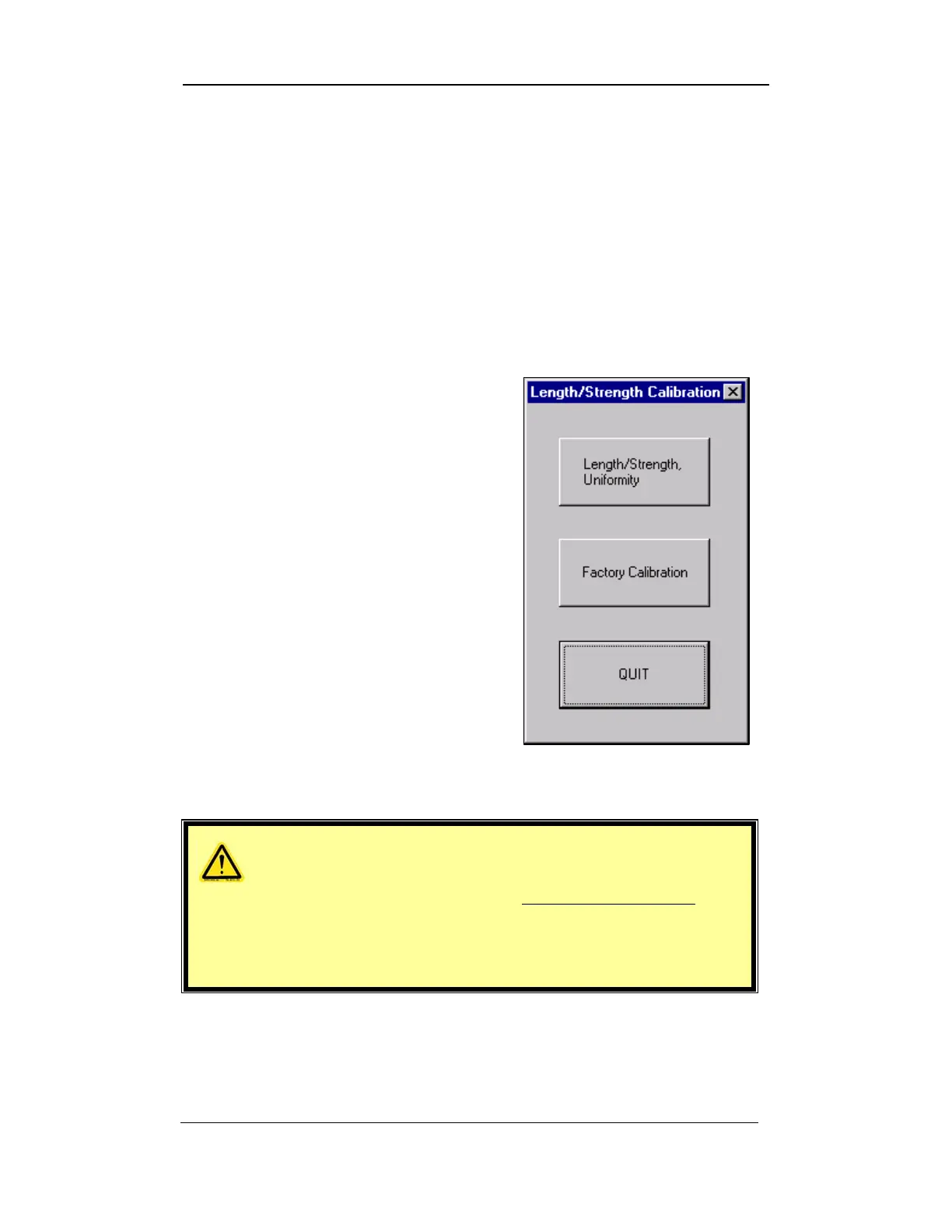
• Select the LENGTH/STRENGTH
button. This will give you access to
the LENGTH/STRENGTH CALIBRATION
MENU.
• The LENGTH/STRENGTH CALIBRATION
Menu is divided into three
additional options:
o LENGTH/STRENGTH,
UNIFORMITY
o FACTORY CALIBRATION
o QUIT
Figure 4-3: Length/Strength Calibration Menu
WARNING!
HVI SPECTRUM
system operators SHOULD NOT USE
FACTORY CALIBRATION. It is intended for use by Certified
Uster Technologies’ service technicians only and cannot
be accessed without the proper password.
Uster Technologies, Inc. Chapter 4
Calibration • Page 4-6



 To Next Page