USTER
®
HVI SPECTRUM
Instruction Manual
Uster Technologies, Inc. Chapter 10
Bale Manager • Page 10-31
4.7.1 View Inventory Bale Data
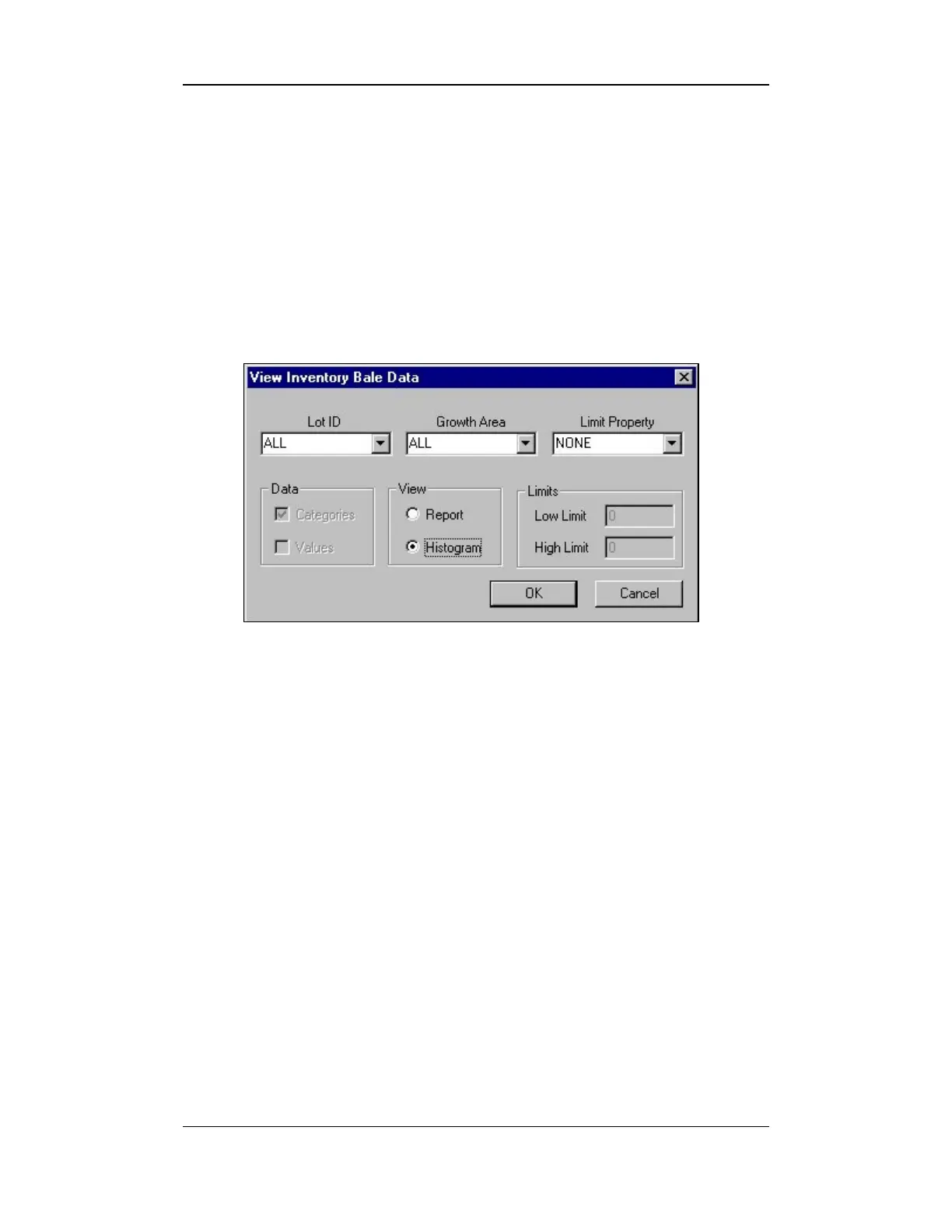
This screen is used to generate inventory reports based on the selected
criteria.
1. Select the VIEW item from the BALE MANAGER MAIN MENU.
2. Select the INVENTORY item to access the VIEW INVENTORY BALE DATA
screen.
Figure 10-20: View Inventory Bale Data
3. The Lot Identifier, Growth Area, and Limit Property fields
are used to indicate the specific inventory that you want to review.
4. Select the specific inventory areas from each pull-down list.
5. Enter the type of data that you want to view. This can be by
category, value, or both.
6. The View selections are used to indicate how you would like the
information to be presented. This can be either in a report format
or as a histogram.
7. Next, indicate the limits, if any, on the data presented.
8. When all selections have been made, select the OK button to view
the results.



 To Next Page