USTER
®
HVI SPECTRUM
Instruction Manual
2.2 Designing a QualiProfile
To design a QualiProfile:
1. Select DESIGN from the QUALIPROFILE menu item on the
QUALIPROFILE MAIN MENU.
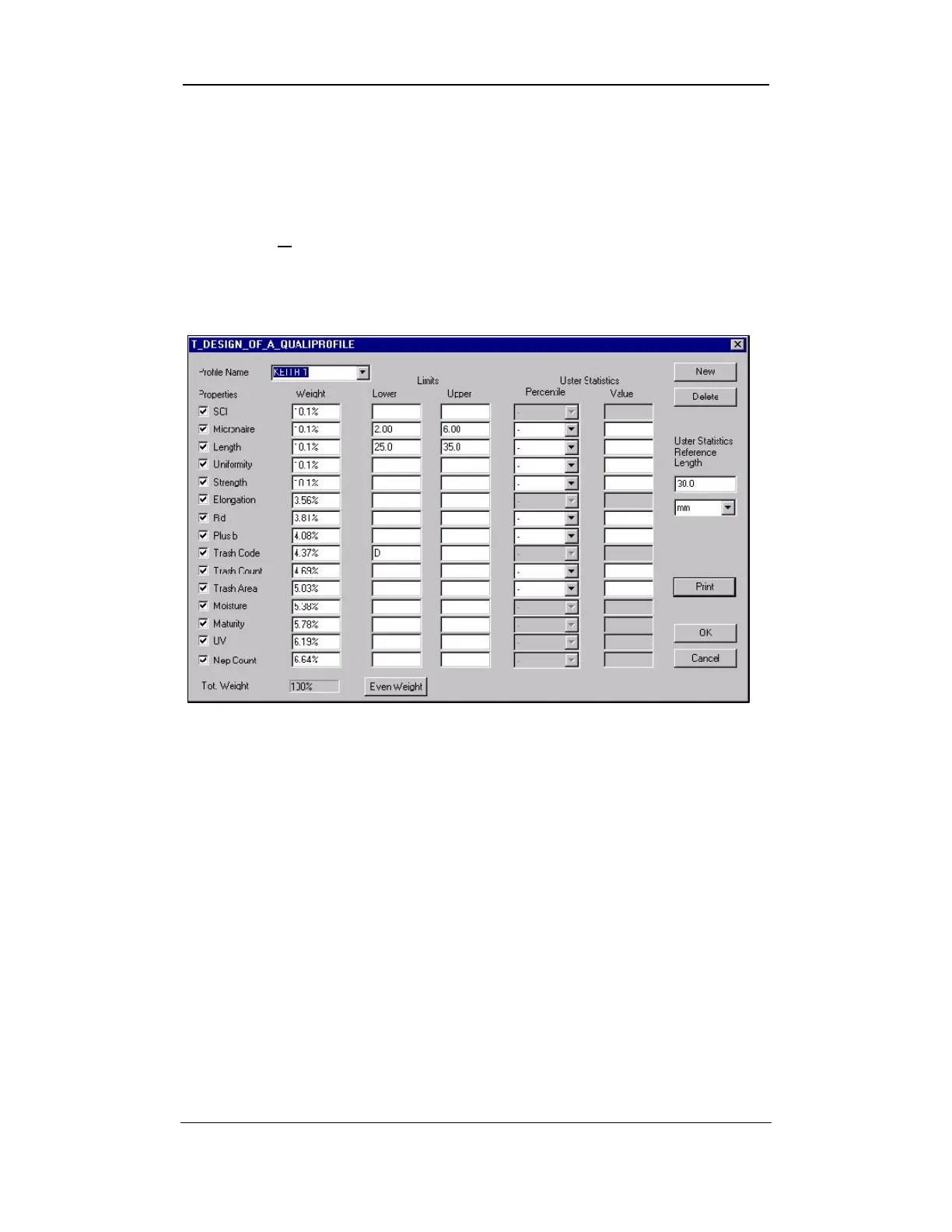
2. The following screen will appear:
Figure 11-6: T Design of a QualiProfile
3. Click on the NEW button located at the top right of the screen.
4. Name the QualiProfile by entering the data in the Profile Name
field or by making a selection from the drop-down list.
5. Select the values you want to include by clicking in the boxes in the
Properties
area.
Note:
If a value is excluded, all of the sub values in the hierarchy are
also excluded.
Uster Technologies, Inc. Chapter 11
USTER® QualiProfile • Page 11-6
6. Specify the weight depending on your application by entering the
data in the Weight field on the bottom left of the screen. Select
even distribution by selecting the E
VEN WEIGHT button. The width
of the segment is specified by the weight of the value.



 To Next Page