USTER
®
HVI SPECTRUM
Instruction Manual
3.6 UV Meter Calibration
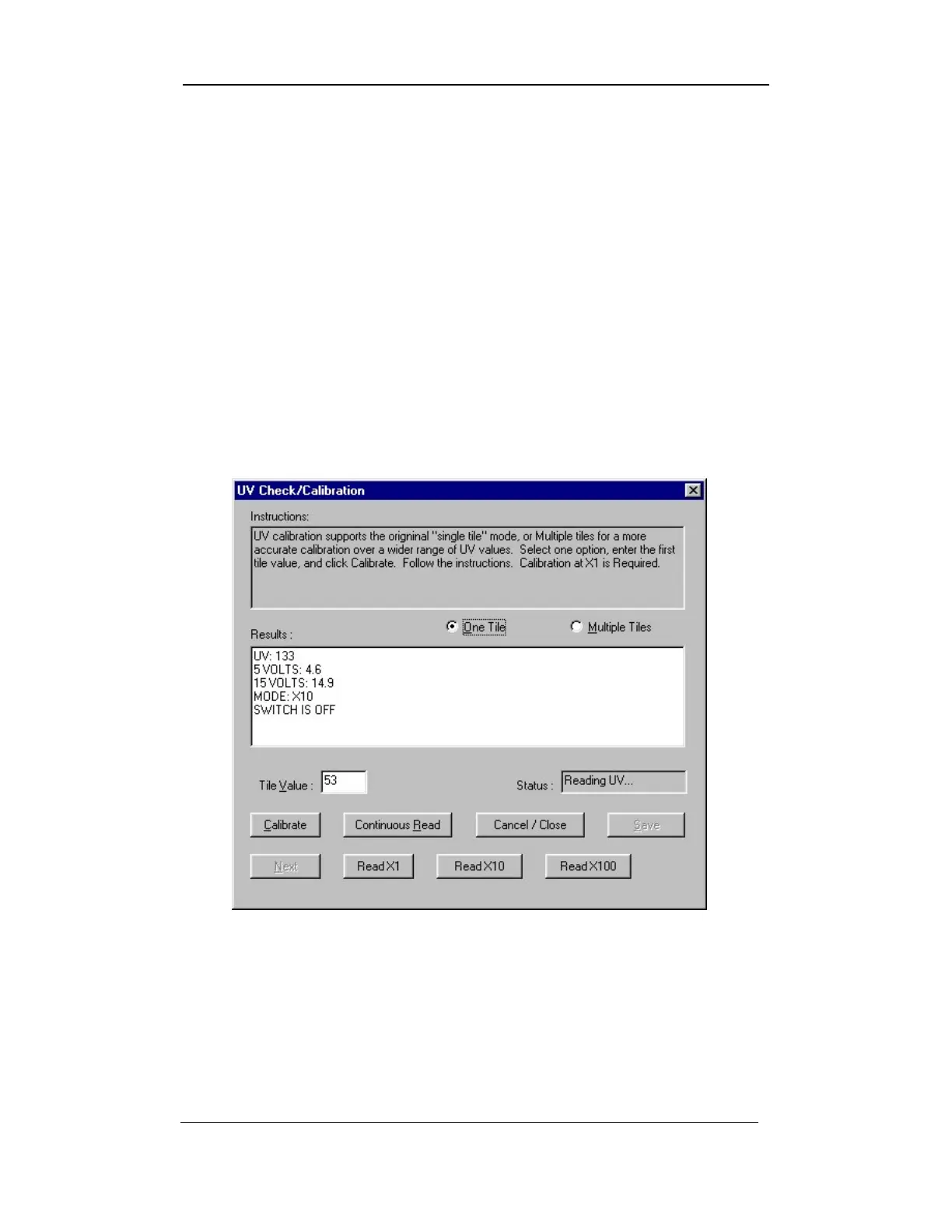
The UV CHECK/CALIBRATION screen shows real-time updates of the
values coming from the UV meter. This calibration supports the
original “single tile” mode, or “multiple tiles” for a more accurate
calibration over a wider range of UV values.
1. To access the UV CHECK/CALIBRATION screen, select the SETUP
button from the
HVI
SPECTRUM
MAIN MENU screen.
2. Next, select the CALIBRATE button.
3. Choose the UV
METER button on the CALIBRATION screen to access
the UV/C
ALIBRATION screen.
Figure 4-15: UV/CALIBRATION Screen
4. Select One Tile or Multiple Tiles.
5. Click Calibrate. The UV Meter values will be displayed at a
continuous rate of occurrence.
6. Follow the on-screen instructions.
Uster Technologies, Inc. Chapter 4
Calibration • Page 4-23



 To Next Page