USTER
®
HVI SPECTRUM
Instruction Manual
9. Once all testing has been completed, select the SAVE AND EXIT
button.
Note:
The calibration process can be interrupted at any time by
pressing the
EXIT
button.
Note:
If an error message appears repeatedly, it could indicate an
air leak in the Micronaire chamber. If this occurs, perform a
Micronaire calibration check to ensure that it is accurate. If necessary,
contact an Uster Technologies’ service technician for further support.
3.3 Color Calibration
The Color component used in the
HVI SPECTRUM
instrument has been
designed to operate for an extended period of time without requiring
calibration. It is recommended that a
routine
check
be performed
rather than a
routine
calibration
. A calibration should only be
completed in cases of extreme swings in temperature or in a highly
dusty environment.
When a color calibration check is performed, a series of five tiles of
known color values are compared with
the calibration constants stored in the
system. If the values do not agree, the
system alters the constants to bring ALL
color measurements back to the known
standards.
1. Select the SETUP button from the
HVI
SPECTRUM
MAIN MENU
screen.
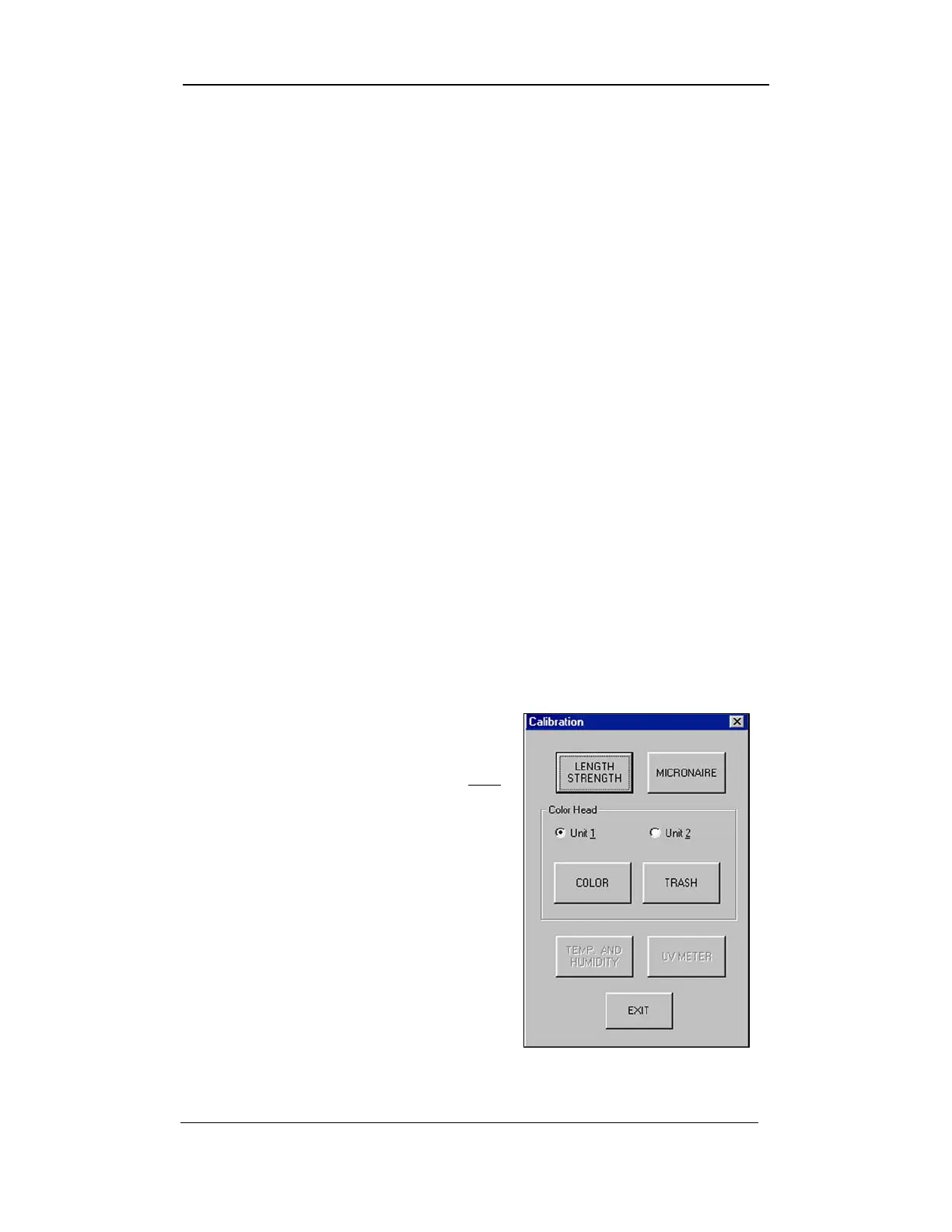
2. Next, select the CALIBRATE button.
3. When the C
ALIBRATION screen
appears, select the C
OLOR button.
Figure 4-7: Calibration Screen
Uster Technologies, Inc. Chapter 4
Calibration • Page 4-13



 To Next Page