USTER
®
HVI SPECTRUM
Instruction Manual
2.3 Color/Trash
2.3.1 Calibration Check
To check Color/Trash calibration:
1. Select the SETUP button from the
HVI
SPECTRUM
MAIN MENU.
2. Press the SYSTEM CHECK button.
3. Click on the COLOR TRASH button located on the SYSTEM CHECK TEST
SELECTION MENU.
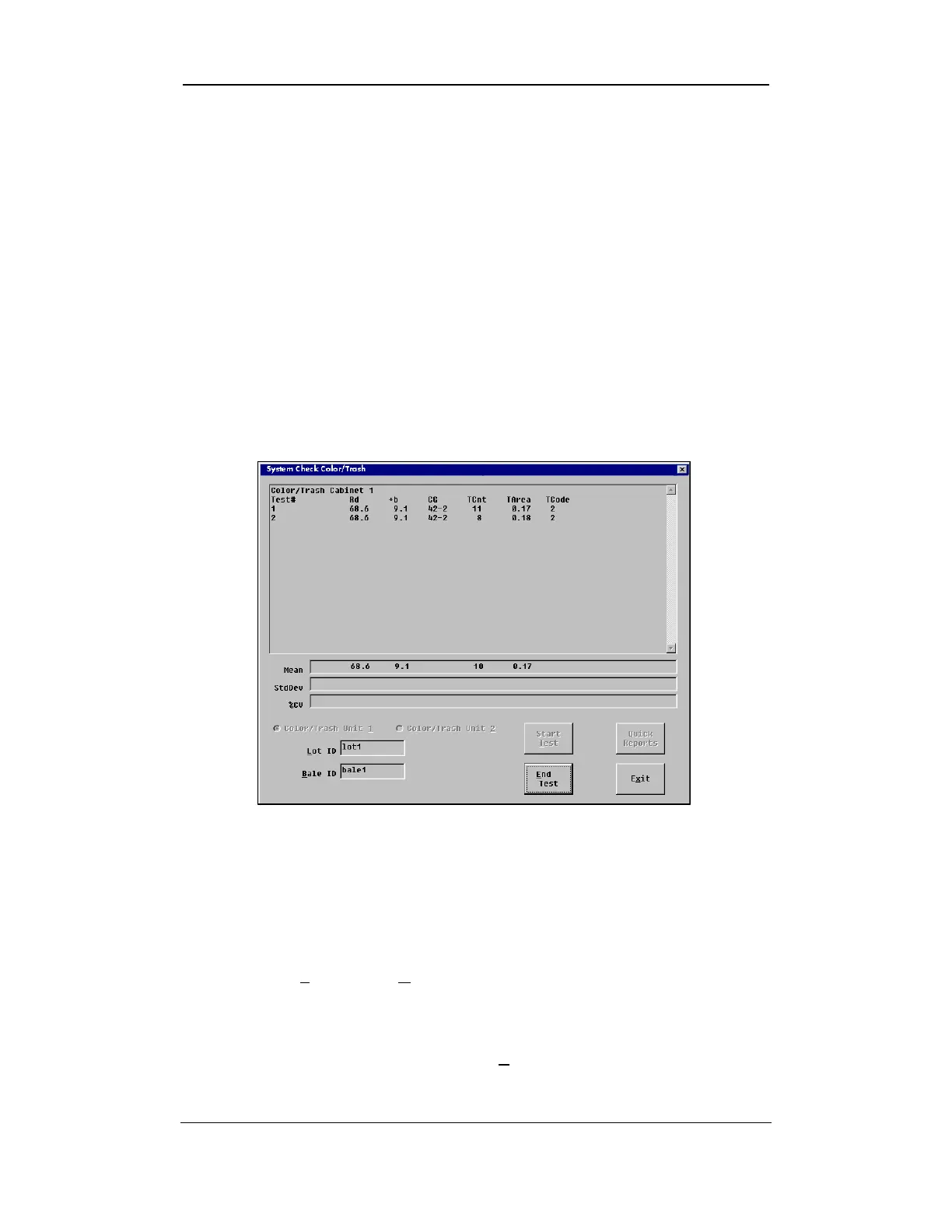
4. THE SYSTEM CHECK COLOR/TRASH screen will appear:
Figure 5-6: System Check Color/Trash Screen
2.3.2 Calibration Test
To begin testing:
1. Enter the Lot ID and Bale ID as shown in the figure above.
2. Select the START TEST button.
3. When you are finished, press the END TEST button.
Uster Technologies, Inc. Chapter 5
System Check • Page 5-8



 To Next Page