USTER
®
HVI SPECTRUM
Instruction Manual
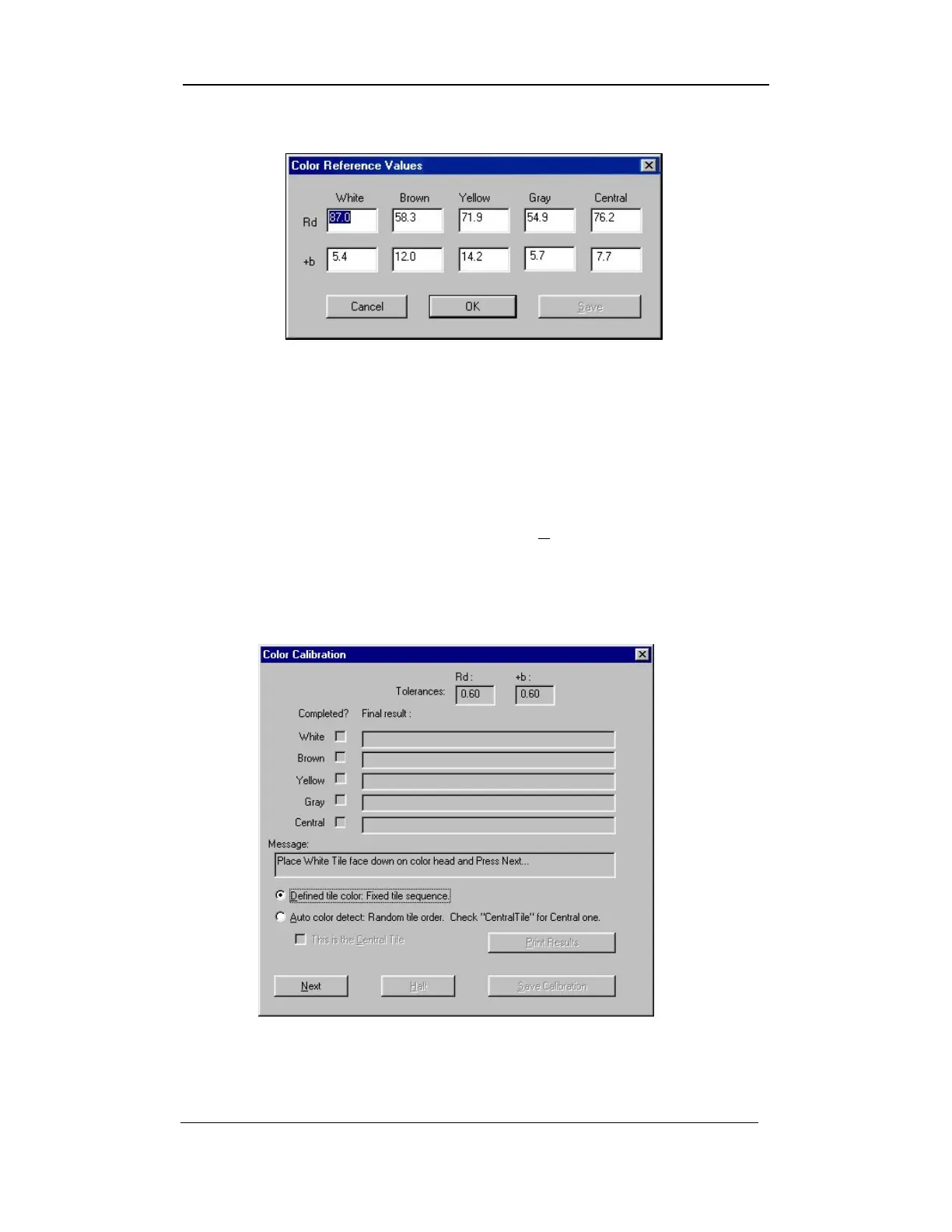
4. The COLOR REFERENCE VALUES screen is displayed:
Figure 4-8: Color Reference Values Screen
5. In this screen, the Rd and +b values are displayed for each tile.
Check these values with each tile supplied by Uster Technologies,
Inc. to ensure that the displayed figures are the same as those
printed on the calibration tile box.
6. If it is necessary to change any of the tile values, enter the values
and save the changes by selecting the SAVE button.
7. Select the OK button once the values agree.
8. The COLOR CALIBRATION screen will be displayed at this time.
Figure 4-9: Color Calibration Screen – Defined Tile Color
Uster Technologies, Inc. Chapter 4
Calibration • Page 4-14



 To Next Page