USTER
®
HVI SPECTRUM
Instruction Manual
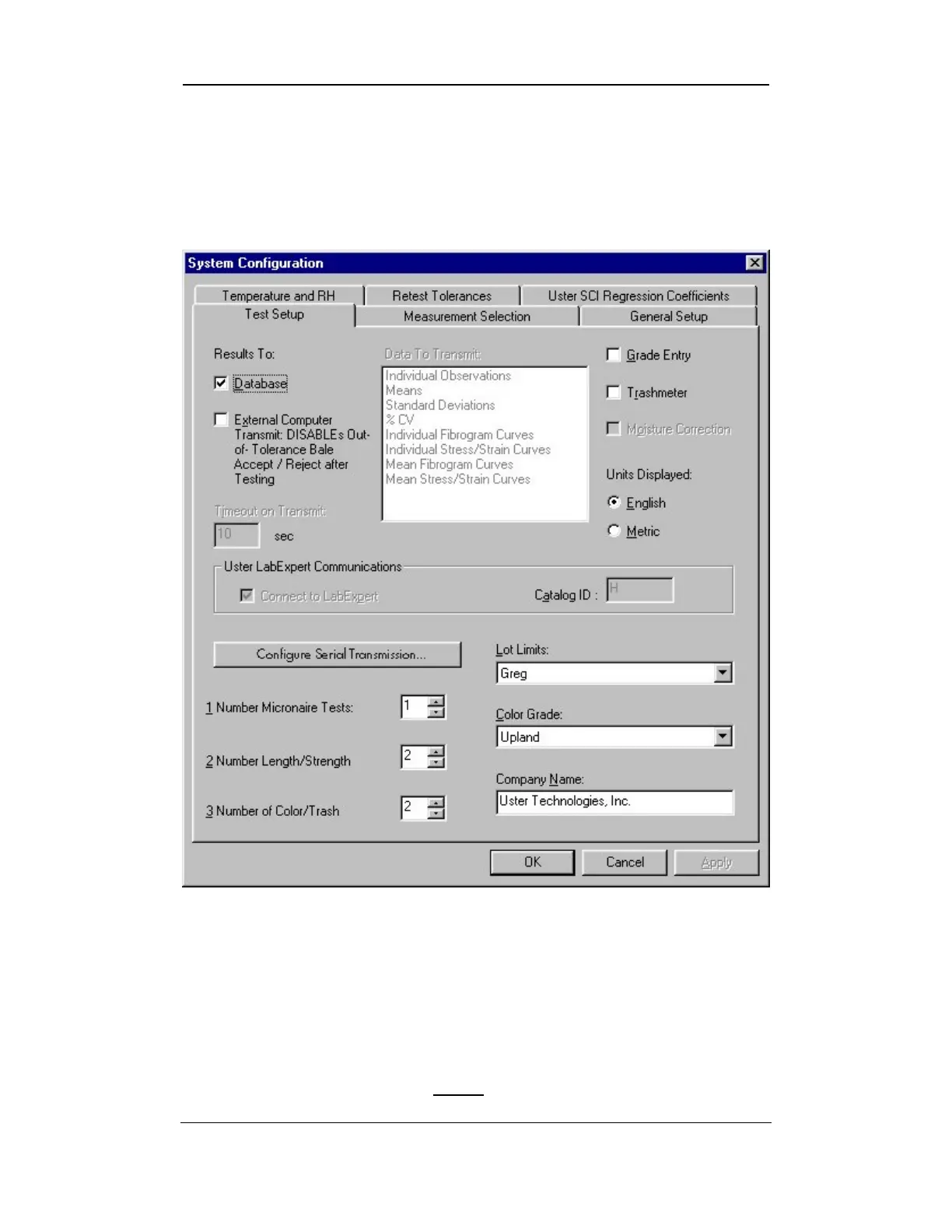
2.1 Test Setup Tab
As the S
YSTEM CONFIGURATION screen opens, the TEST SETUP tab is
displayed. It has been chosen as the default tab because it is used
more frequently than the remaining tabs.
Figure 6-2: System Configuration – Test Setup Tab
The items that are enabled/disabled on this page reflect the general
setup and measurement selection settings that have been applied to the
system.
Note:
To enable/disable particular measurement types, use the
M
EASUREMENT
S
ELECTION
Tab FIRST.
Uster Technologies, Inc. Chapter 6
Configurations • Page 6-2



 To Next Page