NOTE
The application rate can be controlled as a percent
value
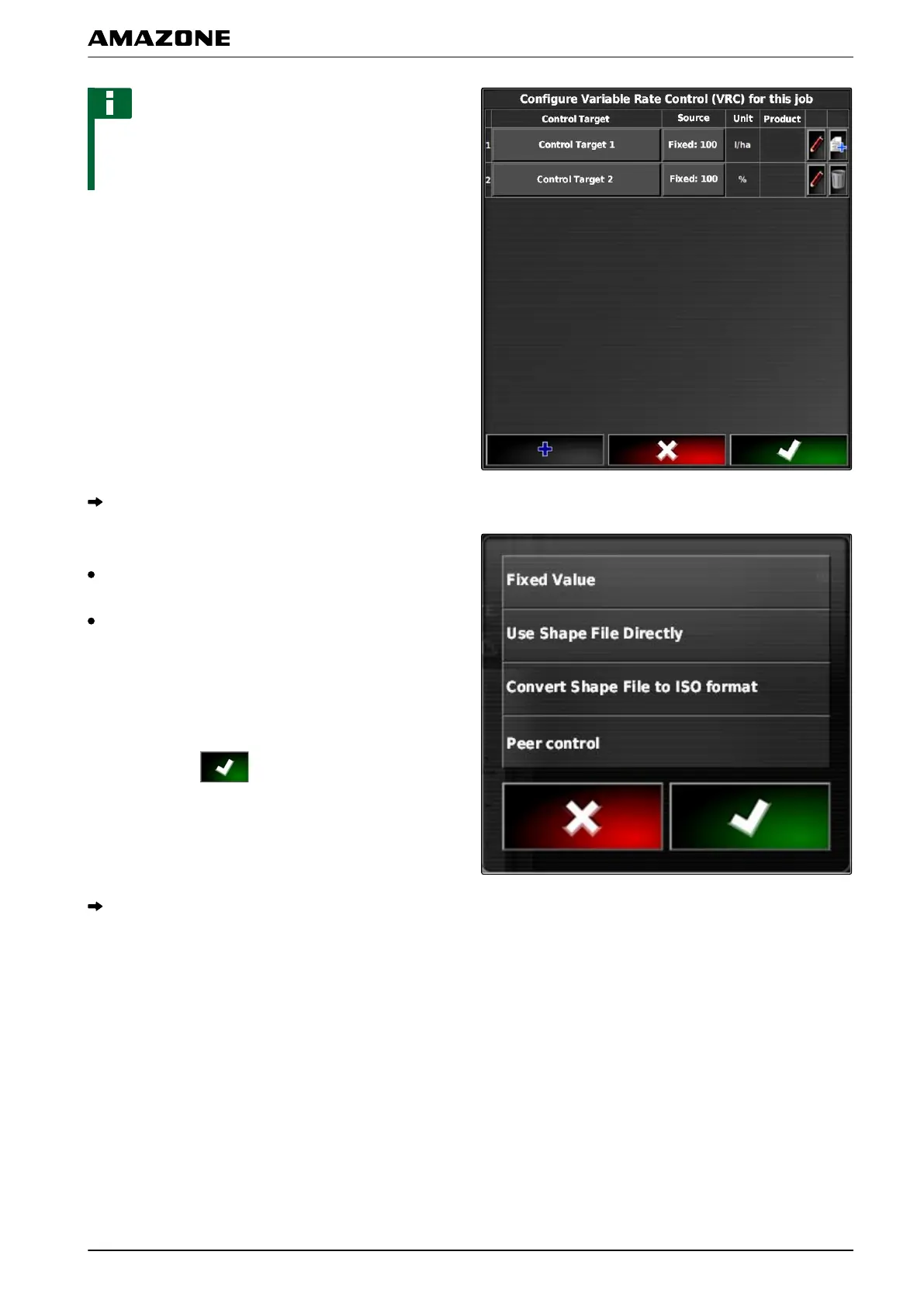
or using the units. The type of control can be
read in the "Unit" column.
3. On the line with the desired unit, tap on the button in
the "Signal source" column.
A selection list for the signal sources will be opened.
Possible selection:
"Use shape file directly": The application map in the
shape file will not be saved in the job data.
"Convert shape file into ISO format": The application
map will be saved in the job data and can be
exported together with the job.
4. Select "Convert shape file into ISO format" or "Use
shape file directly".
5. Confirm with .
The folder overview for the USB flash drive will be
opened.
Q | Using rate control| Adding an application map to a job
MG5574-EN-II | B.1 | 25.10.2016
197



 To Next Page