183R5910032 /00 Freya
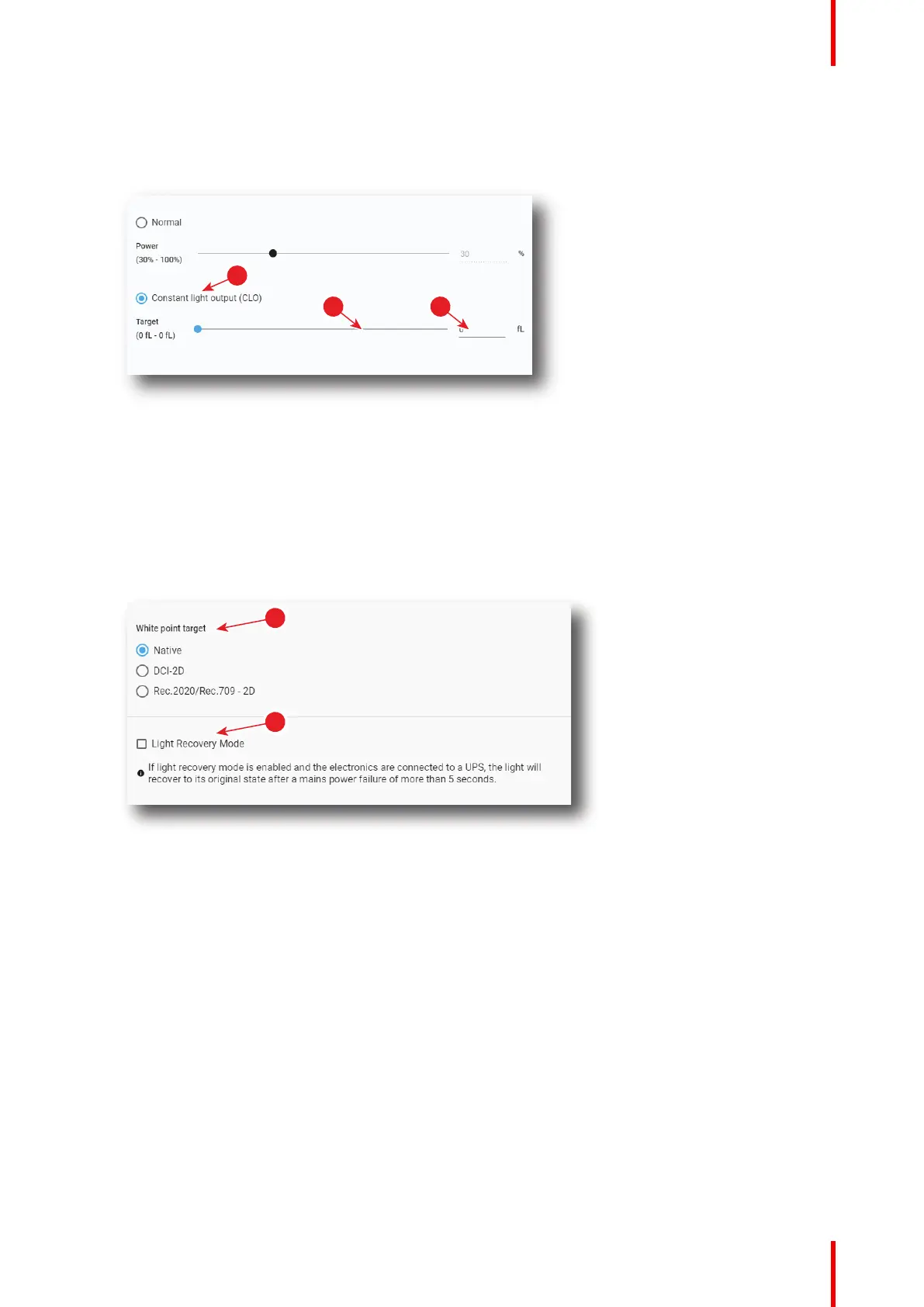
select the radio button Constant light output (CLO) (reference 4).
CLO parameters are now available (references 5 & 6), and Normal mode parameters are greyed out (not
accessible).
Image 8–18
2. Then, set the light output, settings depending the selected mode:
• Normal mode: a light source dimming value can be set with the slider (reference 2) or directly in the
input box (reference 3).
• CLO mode: a desired constant light output value (in fL) can be set with the slider (reference 5) or
directly in the input box (reference 6).
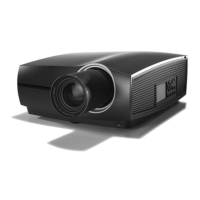
3. Choose the target white point of the projector (reference 7) either to the desired projection spec, or keep
the Native white point.
Image 8–19
4. If your projector is set up with a UPS, you can also activate Light Recovery Mode (reference 8).
Configuration - Light output



 To Next Page