189R5910032 /00 Freya
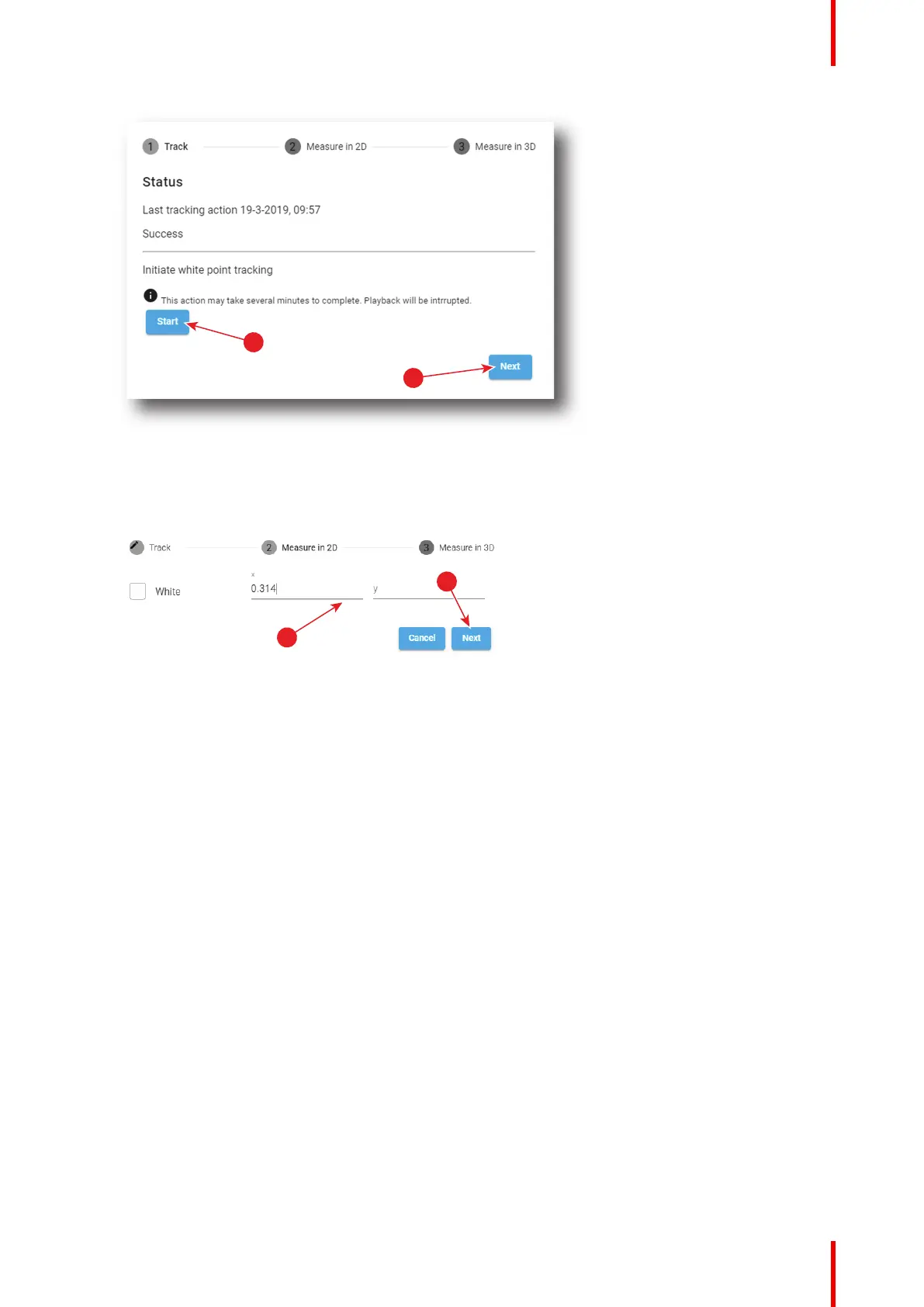
Image 9–3 White Point Calibration – White Point Tracking
The laser white point calibration will be reset. The default settings are programmed.
2. Click Next (reference 2) to access the 2D measurement.
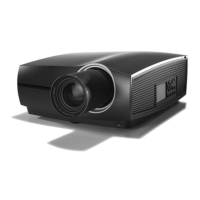
Image 9–4 White Point calibration - 2D measurement
3. Measure the white coordinates (x, y) with spectrometer and enter in the x and y fields respectively
(reference 3).
4. If 3D projection is required, click Next (reference 4) to access the 3D measurement. If not, press cancel to
exit.
Configuration - Color calibration



 To Next Page