41R5910032 /00 Freya
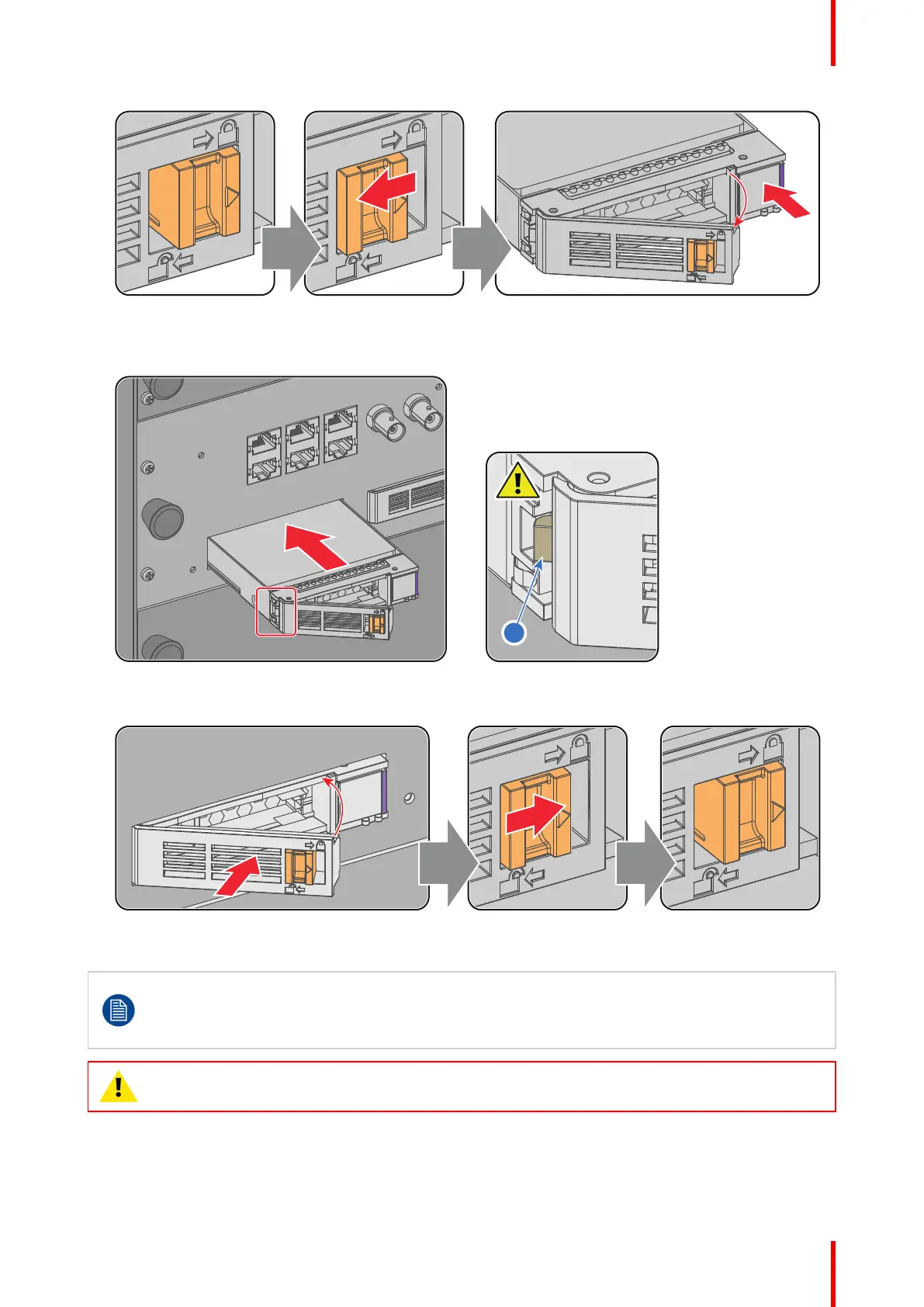
Image 3–7
3. Insert the HDD into the HDD slot. Ensure that the handle is sufficiently open so that the hook (reference 1)
of the handle can pass the front plate of the ICMP
Image 3–8
4. Push the HDD completely and firmly inside its slot, close the handle, and move the latch towards the right.
Image 3–9
5. Switch on the projector.
Even if you replace only one HDD (e.g. degraded mode), the projector must be switched off. The
ICMP automatically starts with the RAID recovery process when the projector will be switched on.
The red LED of the HDD which has to be rebuilt is blinking. This process takes about 200 GB per
hour. Once the RAID is completed the red LED turns off.
CAUTION: It's strongly recommended to complete the RAID recovery process prior to starting a
show. This to ensure that the content integrity is preserved and that the show is not interrupted.
ICMP-X



 To Next Page