38477BA2B
3 – 304 25.5.09
Menu Structure Volume 3
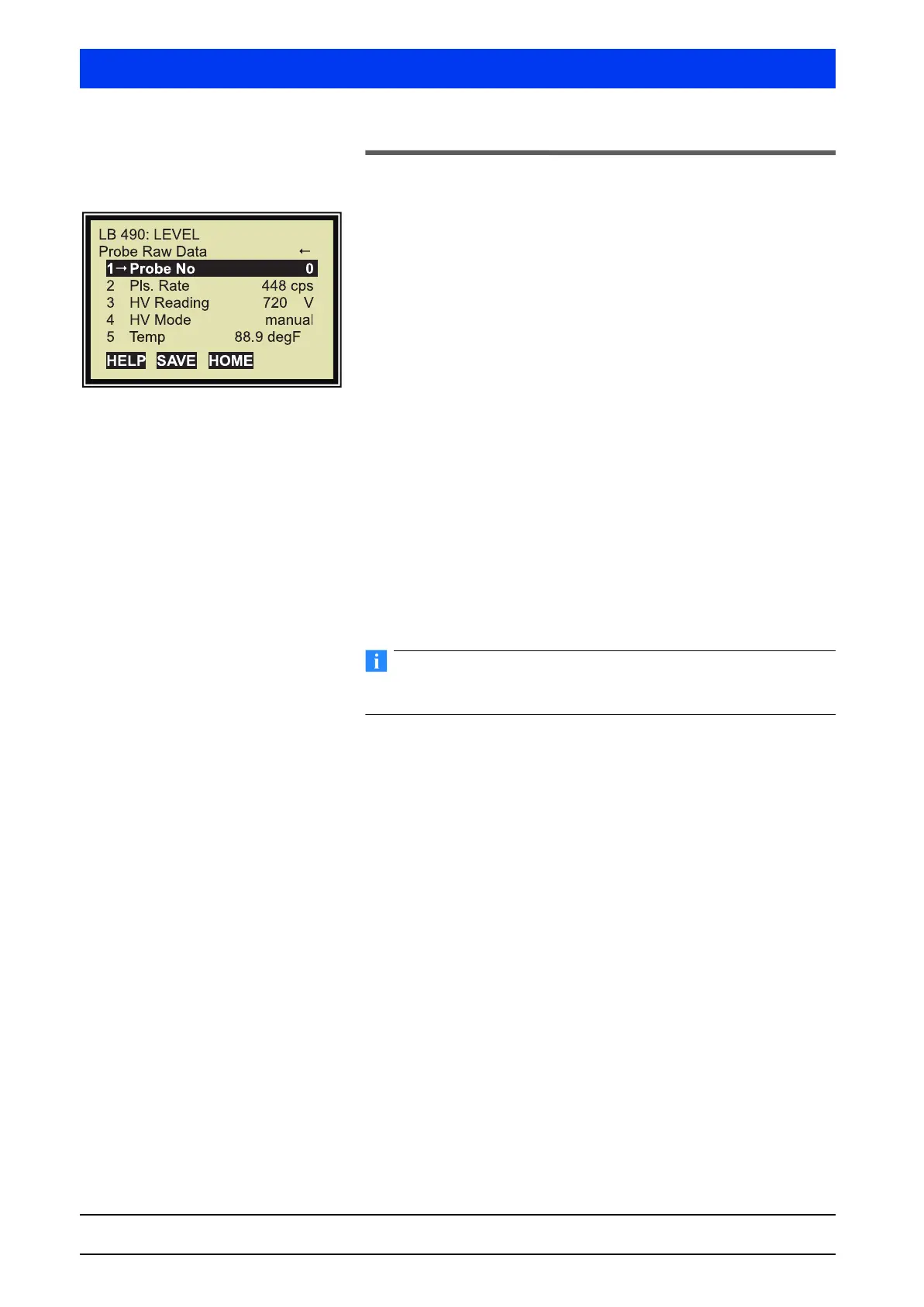
2.5 PROBE RAW DATA
1 PROBE NO
Select the detector number whose raw data you want to view.
0 is the number for the Main Unit
1, 2, … are numbers of available Auxiliary Units
2 PULSE RATE
Shows the live count rate of the selected probe.
3 HV READING
Shows the live high voltage (HV) of the selected probe.
4 HV MODE
Shows the live HV operation mode of the selected probe.
• HV-manual: A fixed HV has been set in the Service menu. It will
be used for servicing only.
• HV-auto: The detectors operate with automatically controlled
HV. This operating mode will compensate for temperature
drifts.
The standard setting Auto must be kept to retain the drift stability
of the detector. Changes can only be made in the Service menu
5 TEMP
Shows the current temperature inside the probe. The sensor is
located on the electronic board. The temperature can be indicated
in Fahrenheit or in Celsius. The indicated unit is selected in the
CONFIGURATION menu.
6 # OF PROBES
Shows the enabled number of Main and Auxiliary Units, which can
be used in this measurement system. 3 means that the Main Unit
has been enabled for two Auxiliary Units.


 To Next Page