38477BA2B
5 – 440 25.5.09
4 Menu Overview Volume 5
4.1 FILE Menu
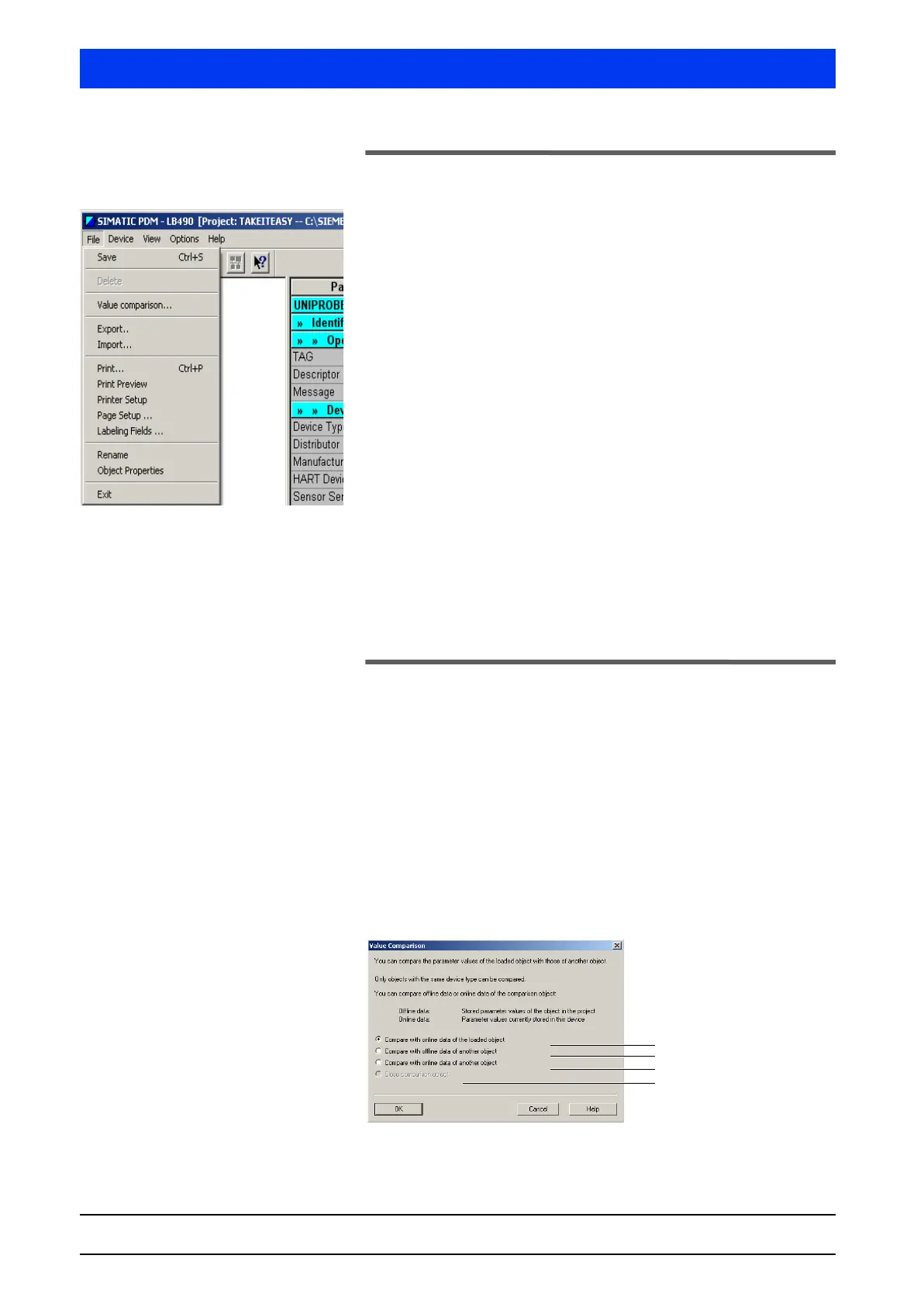
The FILE menu includes general functions, for example, to save,
delete and compare files, to import and export parameters, to
define the presentation, print options and printer settings, etc.
The
FILE menu includes the following menu items:
• Save (page 5–440)
• Delete (page 5–440)
• Value comparison… (page 5–440)
• Export… (page 5–443)
• Import… (page 5–444)
• Print… (page 5–445)
• Print Preview (page 5–445)
• Printer Setup (page 5–445)
• Page Setup… (page 5–445)
• Labeling Fields… (page 5–446)
• Rename (page 5–446)
• Object Properties… (page 5–446)
• Exit (page 5–447)
Description of the Menu Items
4.1.1 SAVE
Saves the current project.
4.1.2 DELETE
Deletes the current project.
4.1.3 VALUE COMPARISON…
Compares the parameters of two projects.


 To Next Page