38477BA2B
5 – 522 25.5.09
7 Working with SIMATIC PDM Volume 5
7.2 The SIMATIC PDM Main Window
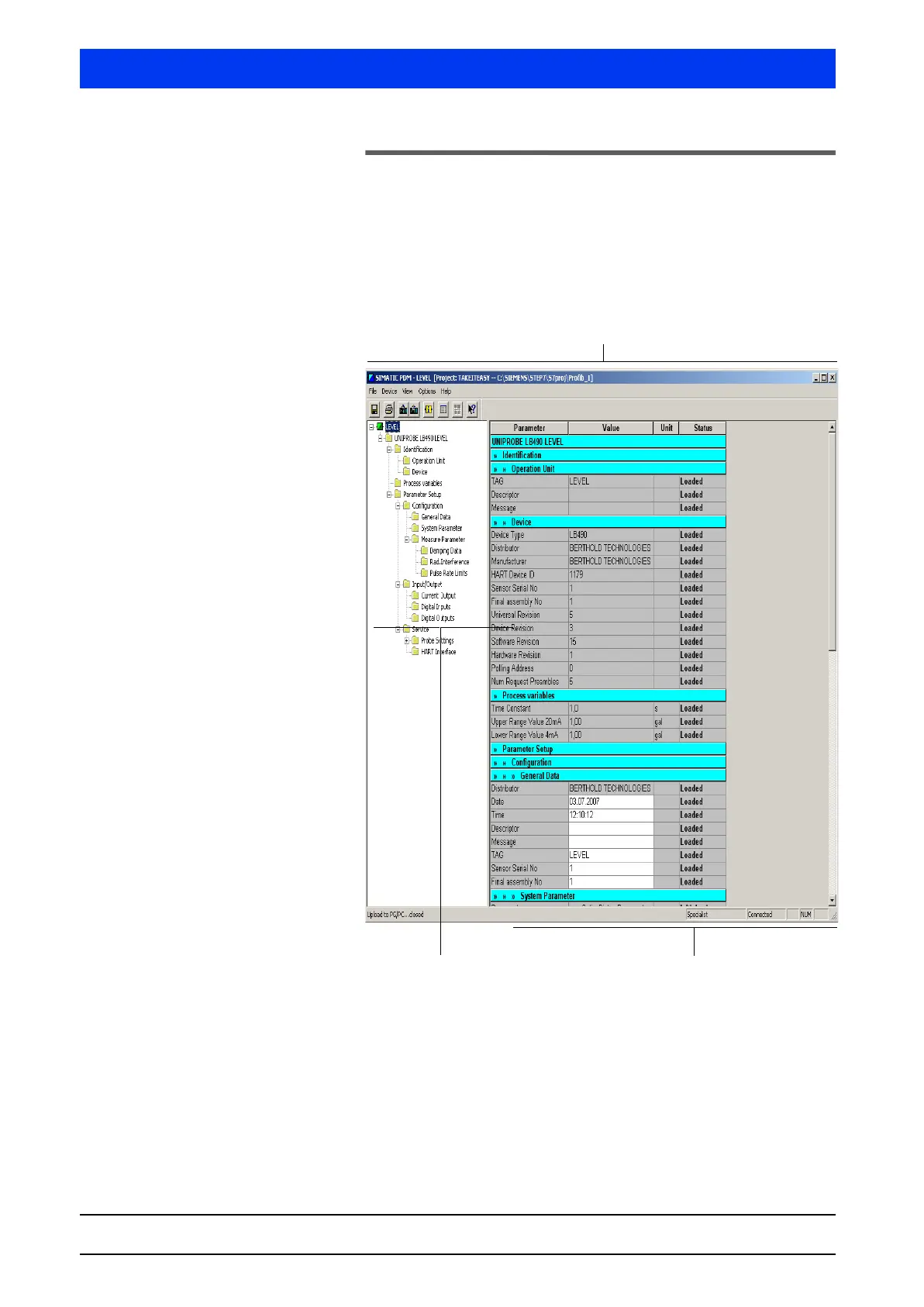
After you have opened the Uni-Probe in SIMATIC Manager Step 7
(see page 5–521), the parameters with their values from the proj-
ect which is stored on a hard drive are displayed in the parameter
table in the SIMATIC PDM main window.
All parameterizable objects including subordinate objects are dis-
played in the parameter group overview.
First, the complete parameter table of the root object is displayed
(in our example
LEVEL) and can be processed (box with white back-
ground).
The settings and displays in the parameter table can be defined on
the
TABLE tab (see page 5–486).
Parameter group overview
Parameter table
The SIMATIC PDM Main Window



 To Next Page