38477BA2B
3 – 328 25.5.09
Menu Structure Volume 3
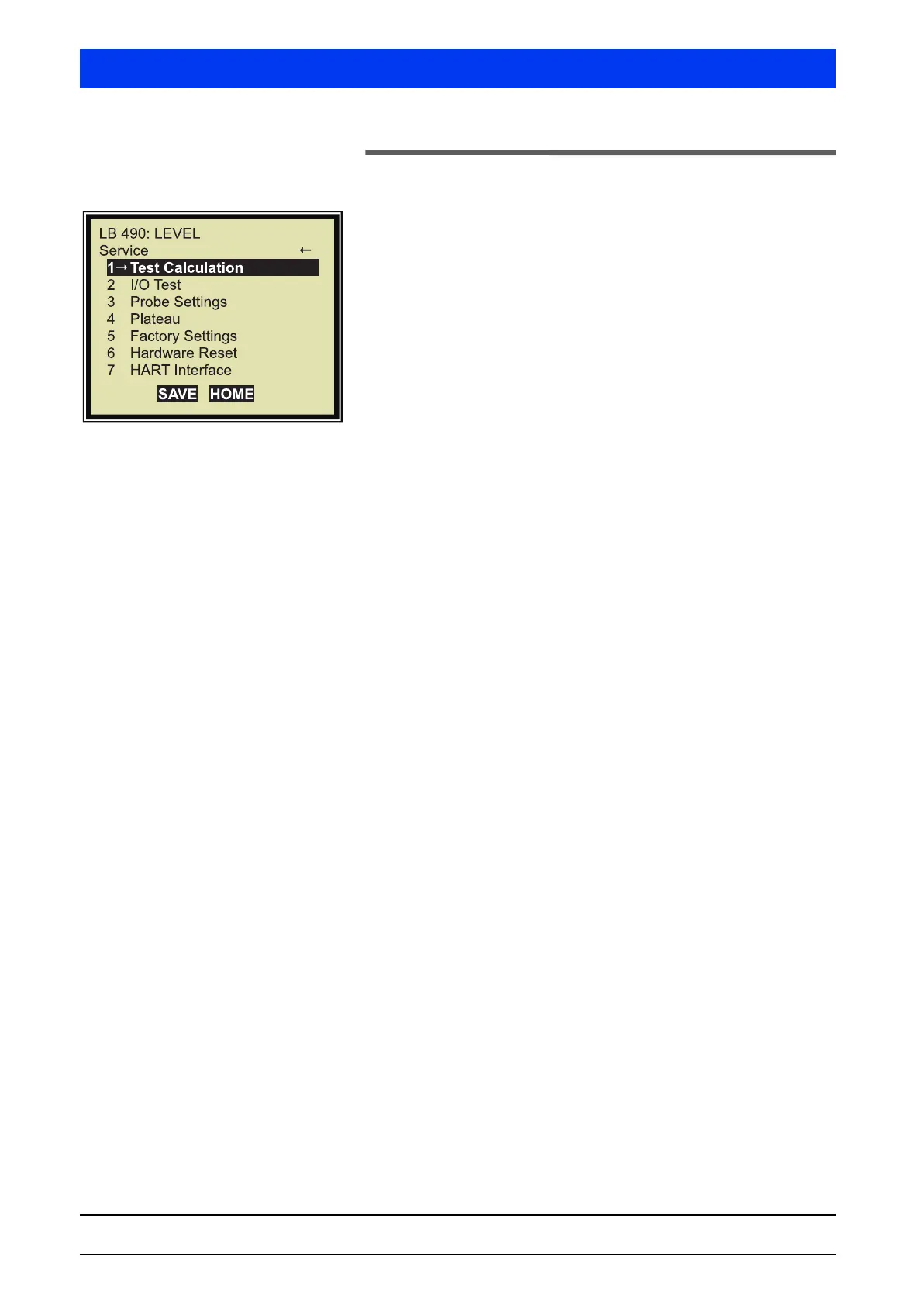
2.31 SERVICE
1 TEST CALCULATION
Carries out the test calculation.
2 I/O TEST
Shows functions for testing the inputs and outputs.
3 PROBE SETTINGS
Shows the detector settings.
4 PLATEAU
Shows the function Multiplier-Plateau. This function is used to
check the multiplier.
5 FACTORY SETTINGS
Resets all values of the Uni-Probe to standard values.
6 HARDWARE RESET
Resets the CPU on the digital board without changing the data.
An alternative method to reset the CPU is to push the Reset button
located next to the RS-232 interface. The housing must be open!
You may also turn the power off and on again. In both cases, no
parameter data will be lost.
7 HART INTERFACE
Shows the polling address.


 To Next Page