Uni-Probe LB 490
BERTHOLD TECHNOLOGIES GmbH & Co. KG
5 – 421
Volume 5 1 Hardware Configuration
5
1 Hardware Configuration
Establish the connection between PC and Uni-Probe via the HART
®
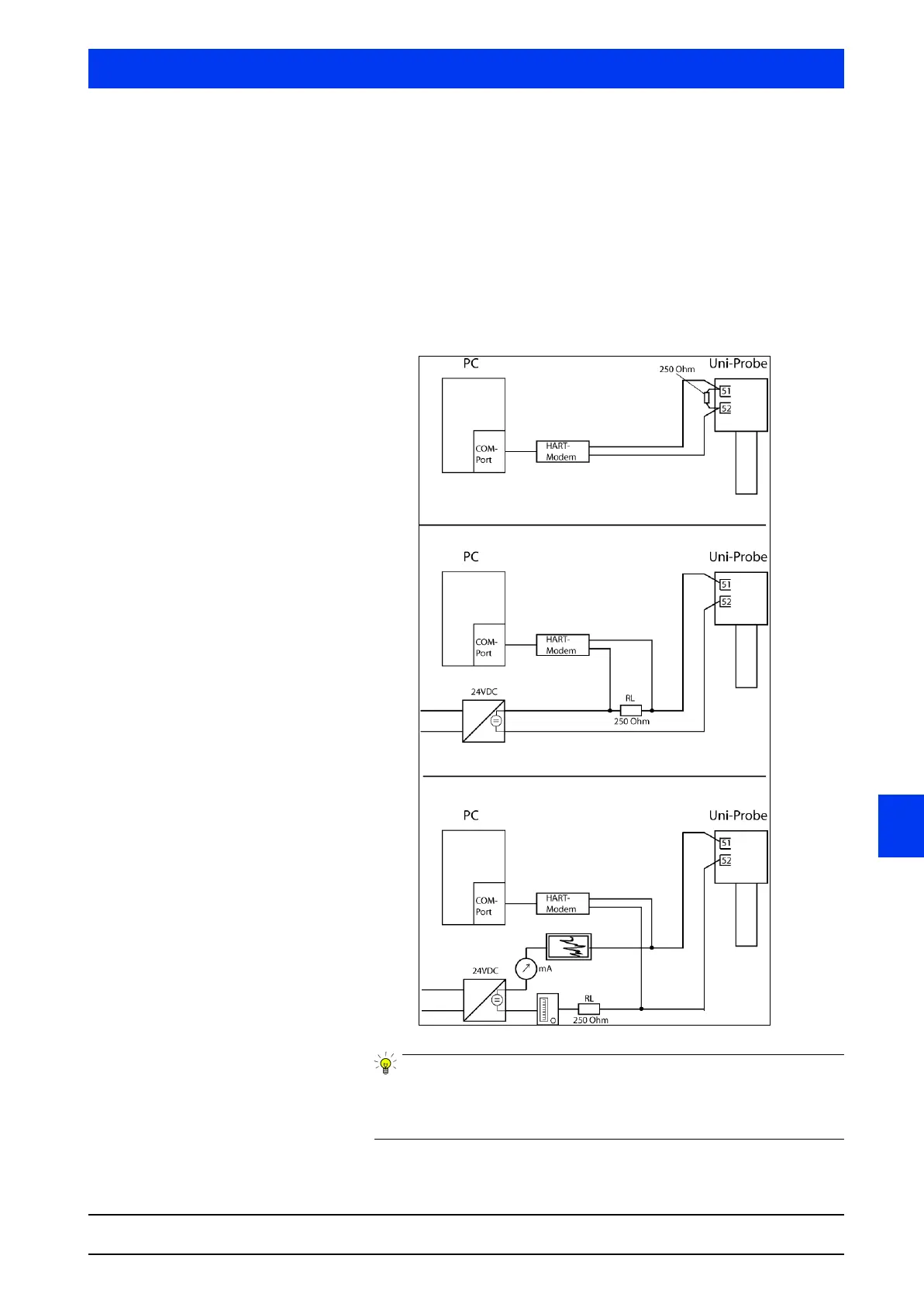
modem. Practical examples for PC connection:
1. Connection with active current output
2. Connection with passive current output
3. Connection with passive current output and instrumentation
Please observe the information on the Fifo buffer (see Volume 5,
"2.2 Fifo Buffer", page 5–424), if you are working with a HART
®
modem with USB port.



 To Next Page