38477BA2B
3 – 342 25.5.09
4 Calibration Volume 3
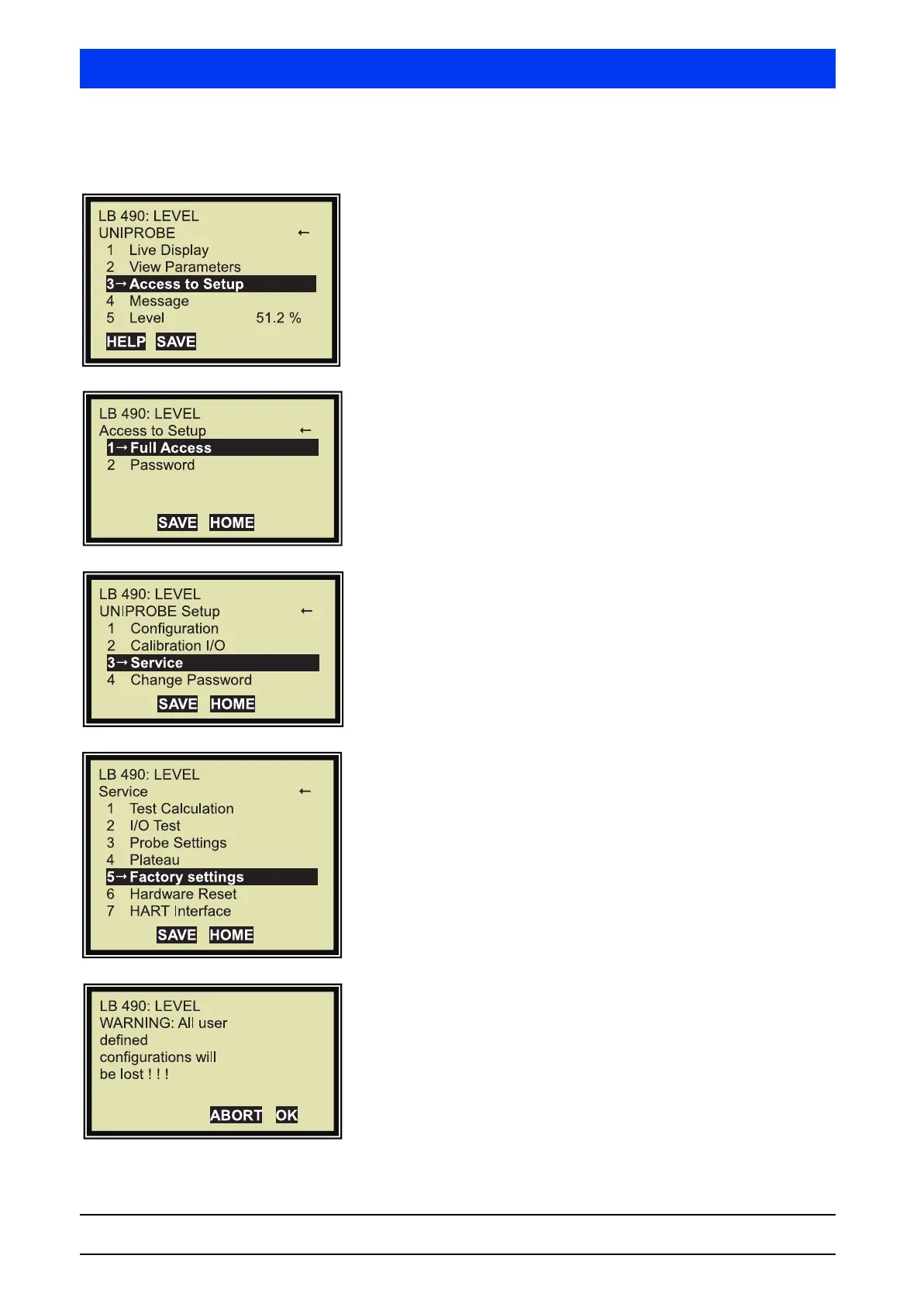
4.1.1 Reset Uni-Probe to Factory Settings
If the following display is not visible, push HOME to go to the
Start menu.
Select ACCESS TO SETUP.
Select
FULL ACCESS.
Select
SERVICE.
Select FACTORY SETTINGS.
If you want to continue resetting the values, confirm this step
with
OK.



 To Next Page