38477BA2B
3 – 358 25.5.09
4 Calibration Volume 3
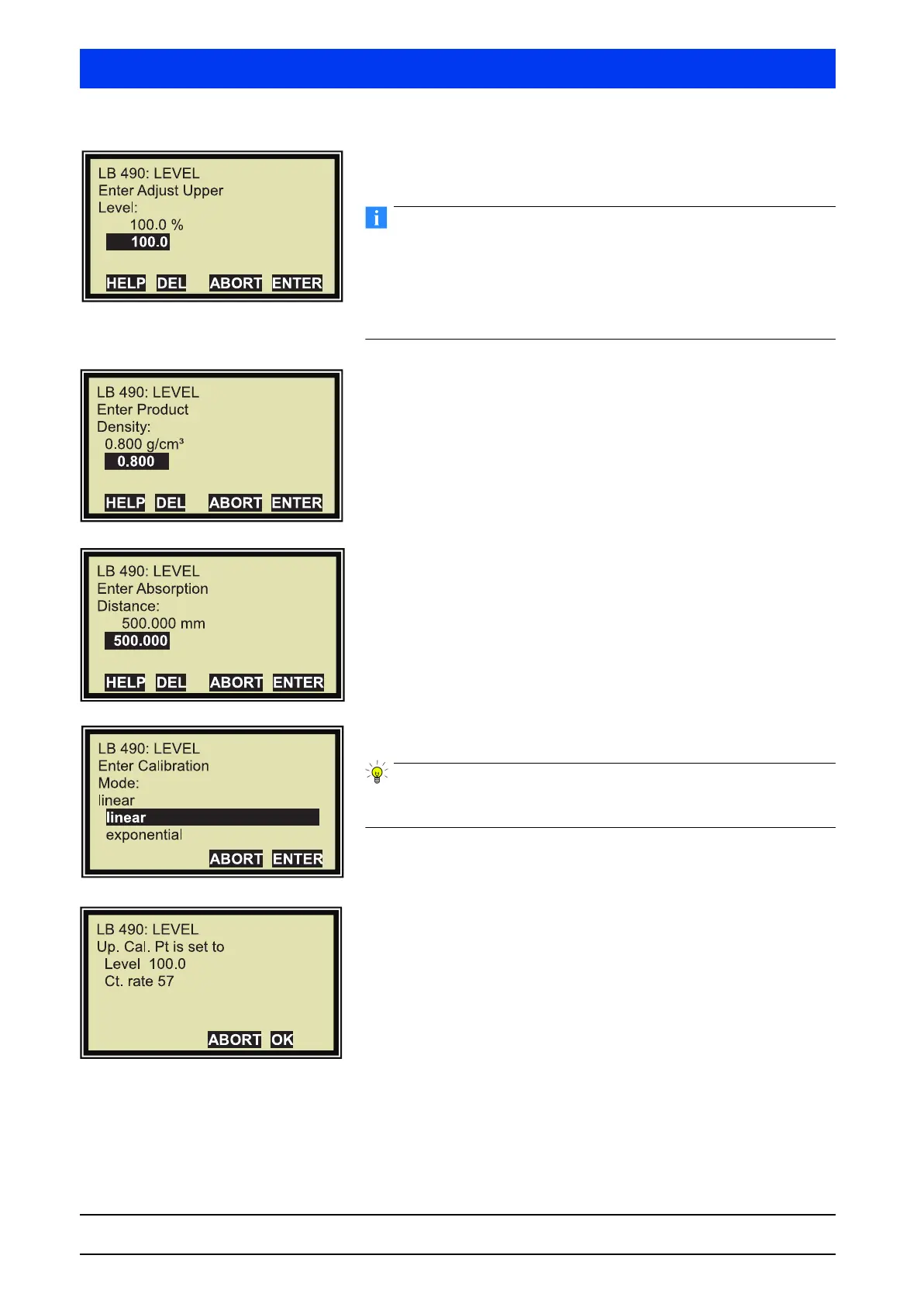
Enter the value for the upper calibration point and confirm the
entry with
ENTER.
Typically, the upper calibration point is recorded at 100% level. If
the tank cannot be filled completely, you may also enter levels
below 100%.
Please note: The higher the value is below 100%, the less accurate
will be the reading at 100% after calibration.
Enter the product density and confirm the entry with
ENTER.
The product density refers to the product to be measured.
Enter the absorption distance and confirm the entry with
ENTER.
The absorption distance is the radiation path in the product.
Typically, this is the internal diameter of the tank (see
Volume 3, section 6.3).
Select
LINEAR and confirm the selection with ENTER.
The exponential function is used only in exceptional cases (see
Volume 3, section 6.3).
The count rate for 100% has been calculated automatically.
Confirm the dialog with OK.
This completes the full calibration step.



 To Next Page