38477BA2B
3 – 370 25.5.09
5 Functional Processes Volume 3
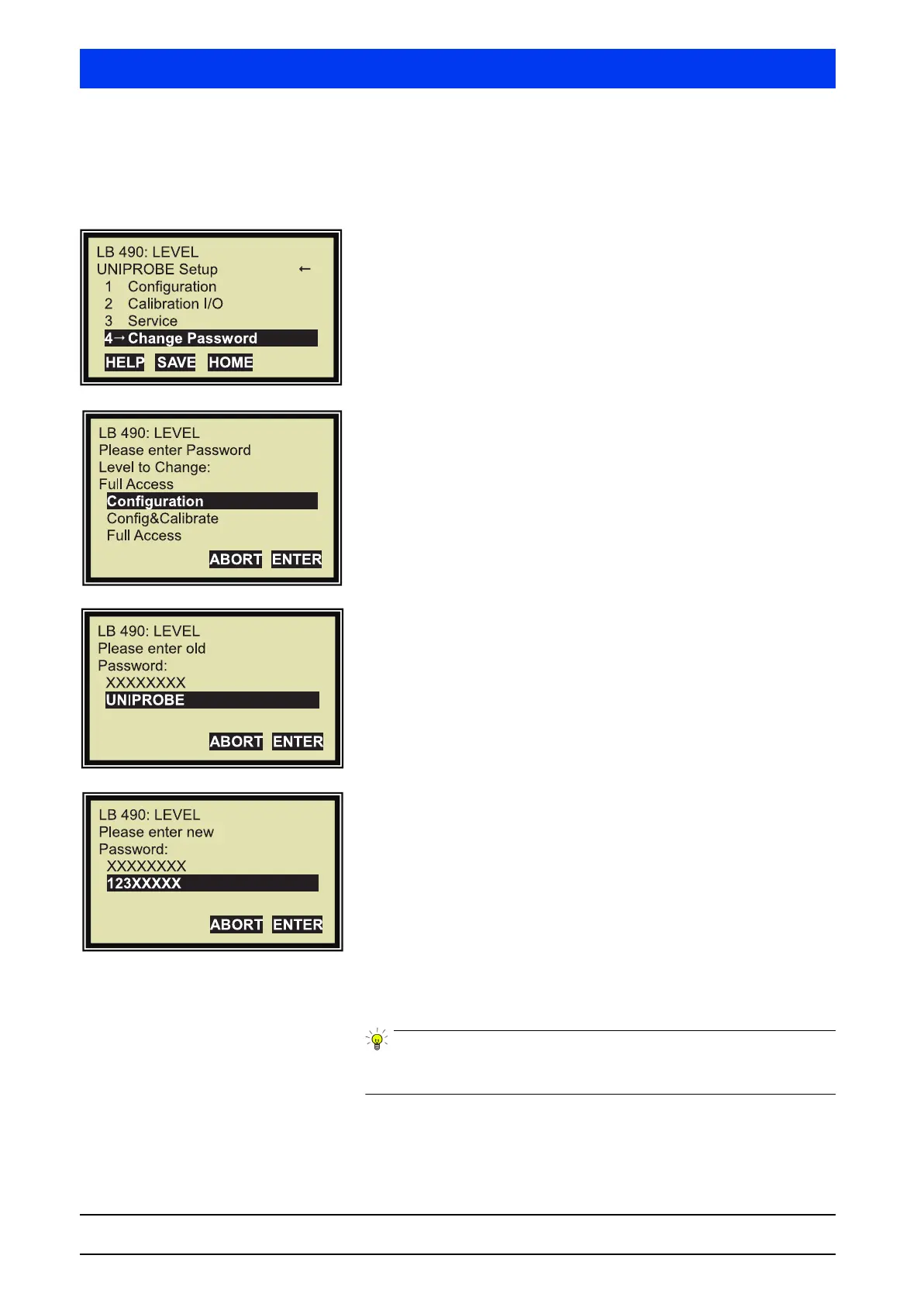
If the following display does not come up, then select it, starting
from the Start menu, via the following path:
ACCESS TO SETUP FULL ACCESS
Select CHANGE PASSWORD.
Select the level(s) for which you want to change the password!
In our example the
CONFIGURATION level has been selected
Enter the current password.
Upon delivery, the current password is UNIPROBE.
Enter the new password.
In our example the new password is 123.
The new password may have max. eight characters or digits.
Characters and digits may be mixed as desired.
After this setting, access to the
CONFIGURATION level can be
granted by entering the password 123”.
The password can also be changed via the level CONFIG. & CALIBR.
or FULL ACCESS instead via CONFIGURATION.



 To Next Page