38477BA2B
3 – 372 25.5.09
5 Functional Processes Volume 3
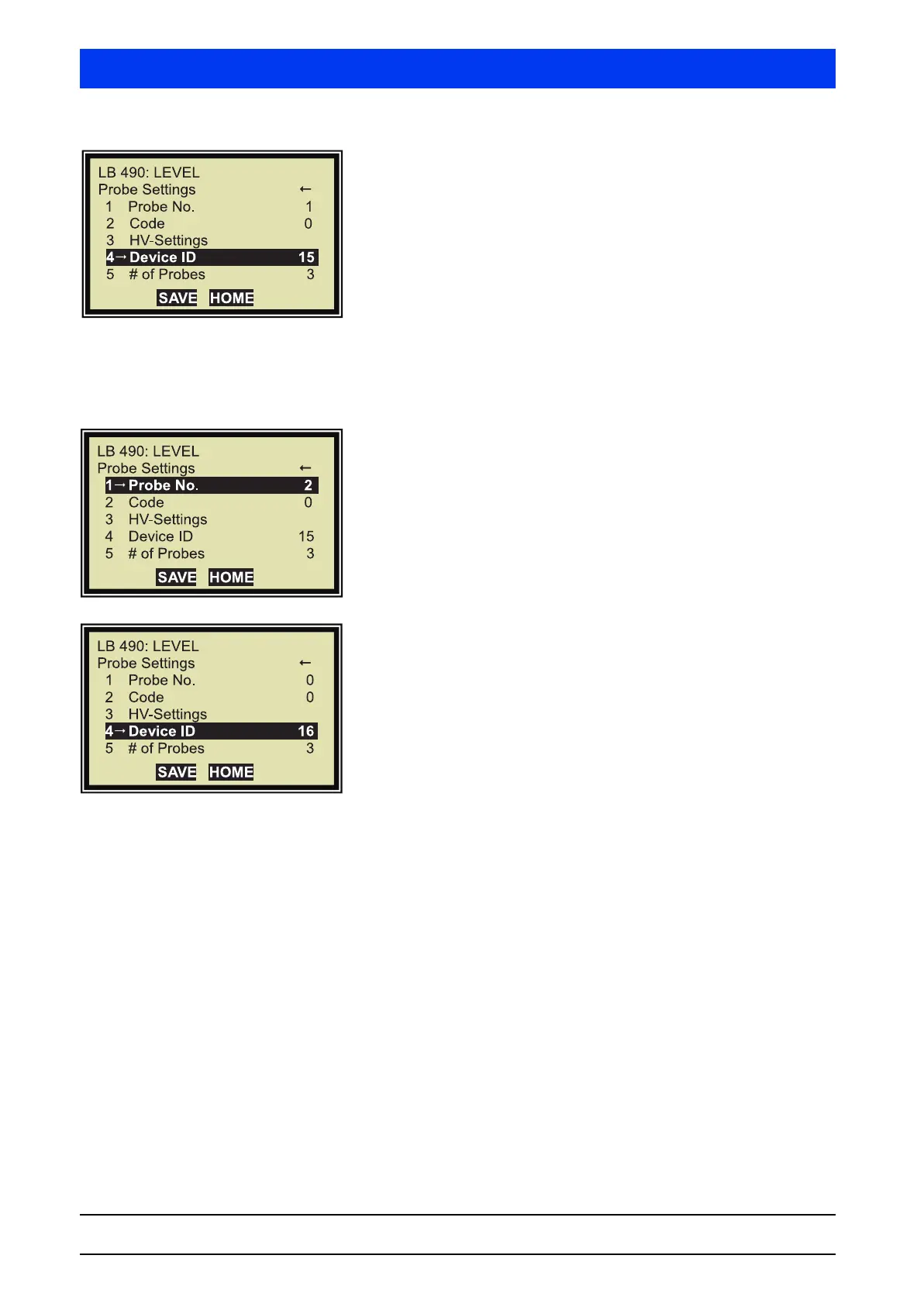
Select DEVICE ID.
Enter the number of the first Auxiliary Unit
(see also page 3–332).
Save the changes with
SEND.
Next Auxiliary Unit
If a third Auxiliary Unit has been connected, then the process is
repeated as follows.
Select
PROBE NO.
Enter 2 (for the second Auxiliary Unit)
(see also page 3–332).
Save the changes with
SEND.
Select
DEVICE ID.
Enter the number of the first Auxiliary Unit
(see also page 3–332).
Save the changes with SEND.
If further Auxiliary Units are connected, then repeat this process
until all detectors are logged on to the Main Unit. Each Auxiliary
Unit has to receive another detector number (
PROBE NO.).
This completes the setting for the multi-detector mode.


 To Next Page