Uni-Probe LB 490
BERTHOLD TECHNOLOGIES GmbH & Co. KG
5 – 435
Volume 5 3 Getting Started with SIMATIC PDM
5
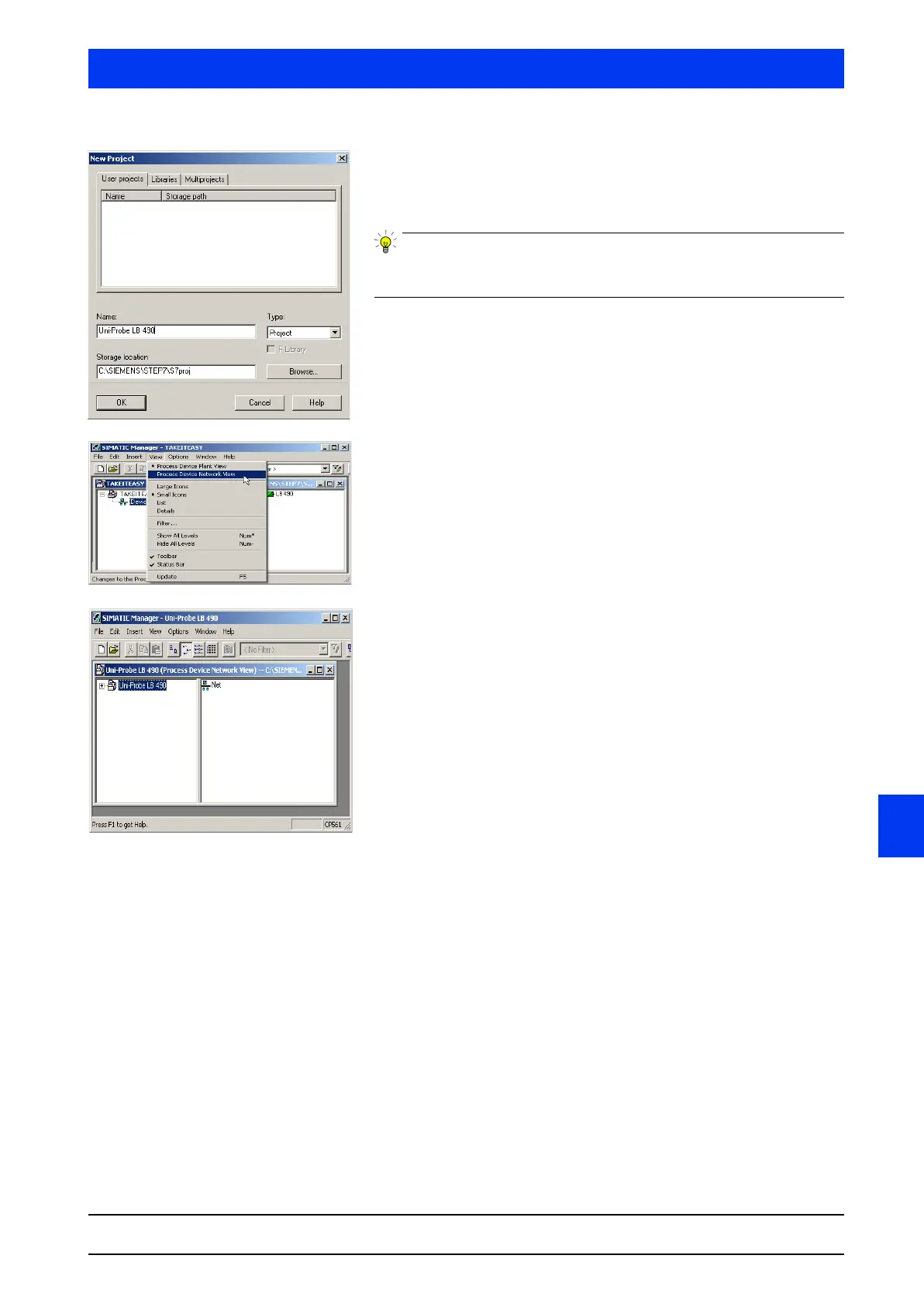
Select the USER PROJECTS tab.
In the
NAME text box, enter a name for the new project (e.g.
“Uni-Probe LB 490”).
Select the desired path if you do not want to store your project in
the folder S7proj.
Confirm the entry:
Click
OK.
The window
UNI-PROBE LB 490 (Process Device Network View)
opens.
Select VIEW/PROCESS DEVICE NETWORK VIEW.
Open the network structure:
•Double-click on NETWORKS in the right-hand section of the
working window, or
• Double-click on the project name in the left-hand section of the
working window.


 To Next Page
 Loading...

