38477BA2B
5 – 494 25.5.09
5 Calibration with SIMATIC PDM Volume 5
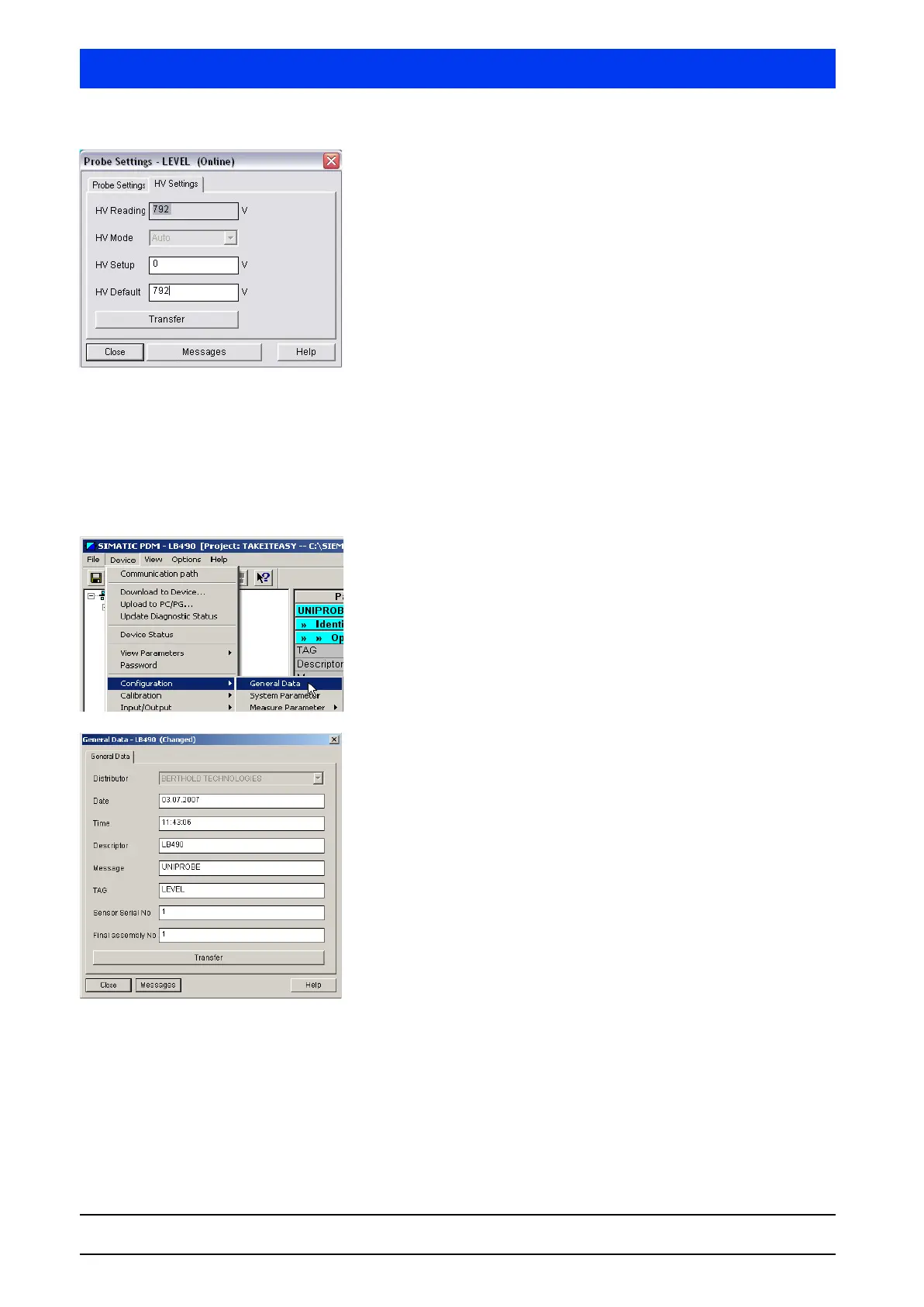
Read off the value CURRENT HV and enter it in the HV DEFAULT
box.
Click TRANSFER to send the parameter changes to the
Uni-Probe.
This completes the detector HV settings.
5.1.3 Setting the Basic Configuration
This chapter describes how to perform a minimal basic setting to
prepare the Uni-Probe for calibration. The date is updated and the
isotope is set.
Select
DEVICE CONFIGURATION GENERAL DATA.
Enter the current date and click on the TRANSFER button to
send the parameter changes to the Uni-Probe.
Click CLOSE to exit the dialog box.



 To Next Page