38477BA2B
6 – 602 25.5.09
4 Calibration with SIMATIC PDM Volume 6
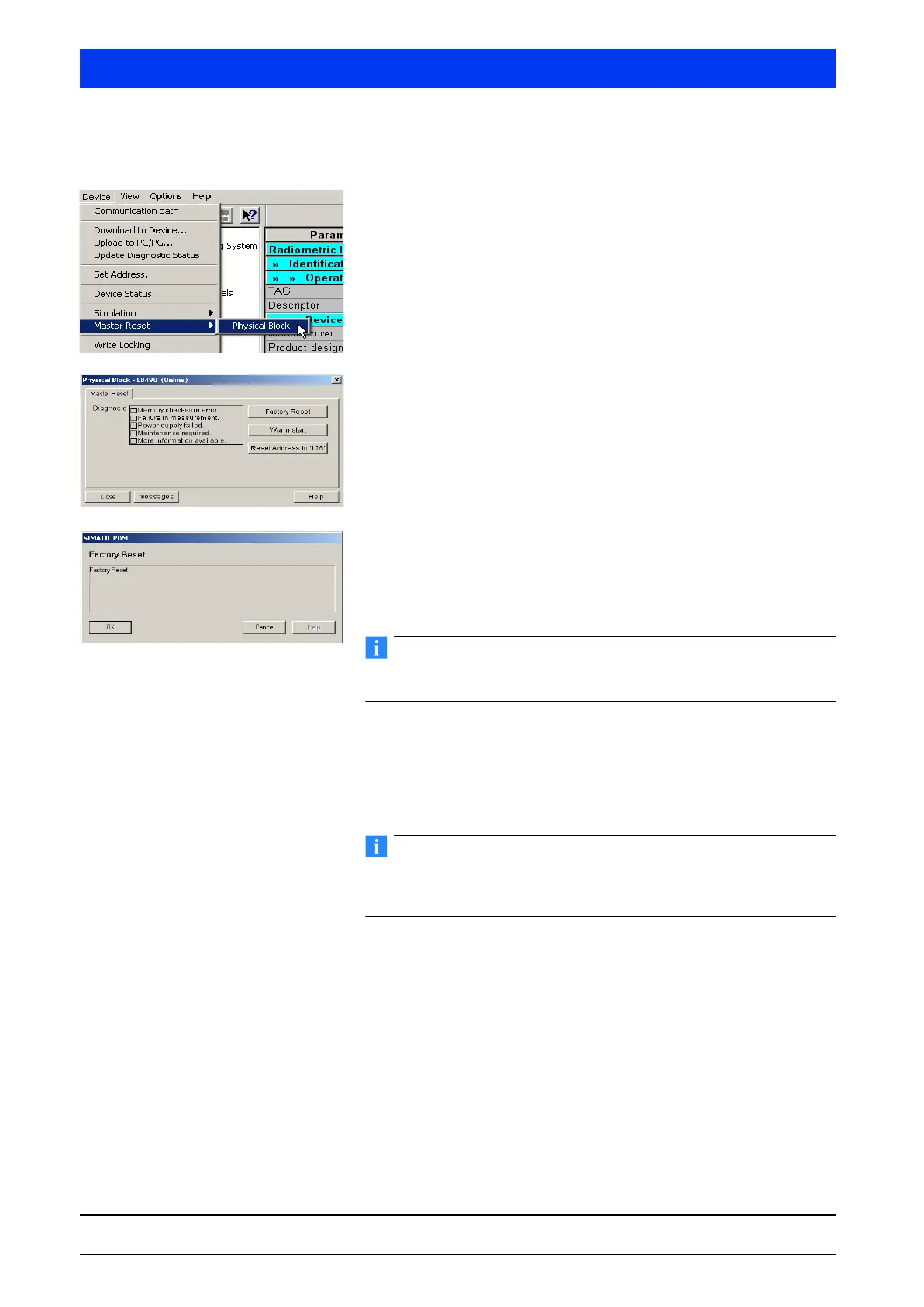
4.1.1 Resetting the Uni-Probe to Factory Settings
Select DEVICE MASTER RESET MASTER RESET.
Click on the
FACTORY RESET button to reset the device to the
factory settings.
Click
OK to confirm this process.
Modifications in the parameter table will be displayed only after you
have executed the UPLOAD TO PC/PG... command.
The parameters in the Uni-Probe are now again identical
with the factory setting.
4.1.2 Detector HV Setup
If the device is still in the original state as delivered, or if you are
sure that the probe settings have not been modified, then you do
not have to set the detector HV prior to calibration.



 To Next Page