38477BA2B
6 – 604 25.5.09
4 Calibration with SIMATIC PDM Volume 6
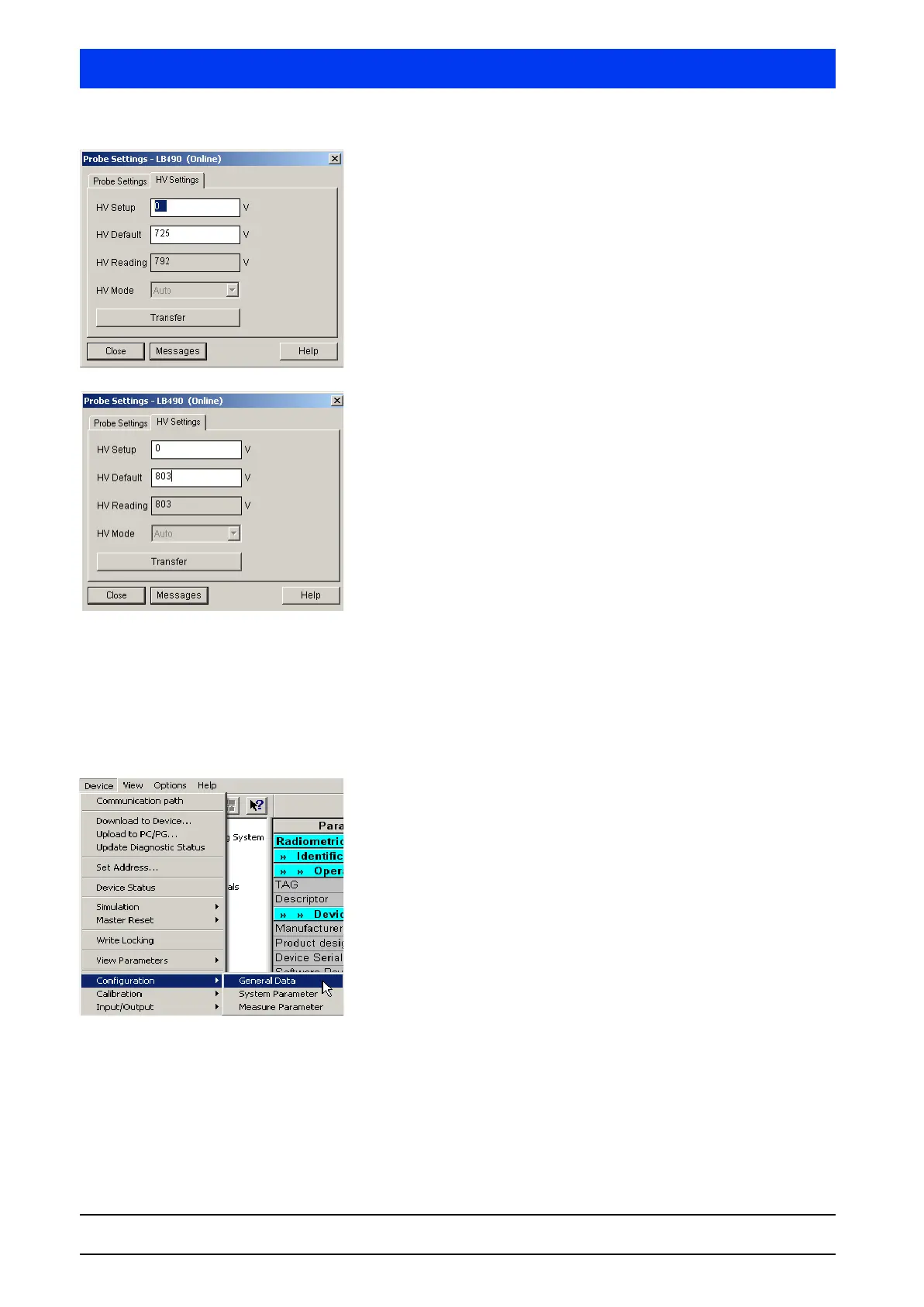
Click on the HV SETTINGS tab.
In the
HV SETUP text box, enter 0 to enable automatic opera-
tion.
Click TRANSFER to send the parameter changes to the
Uni-Probe.
Wait until the HV (
HV READING) has been set.
This takes…
• for point detectors: about 2 minutes
• for rod detectors: about 15 minutes
Read off the HV READING value and enter it in the HV DEFAULT
text box.
Click
TRANSFER to send the parameter changes to the
Uni-Probe.
This completes the detector HV settings.
4.1.3 Basic Configuration
This chapter describes how to perform a minimal basic setting to
prepare the Uni-Probe for calibration. Among other things, the date
is updated and the isotope is set.
Select
DEVICE CONFIGURATION GENERAL DATA.



 To Next Page