Uni-Probe LB 490
BERTHOLD TECHNOLOGIES GmbH & Co. KG
6 – 609
Volume 6 4 Calibration with SIMATIC PDM
6
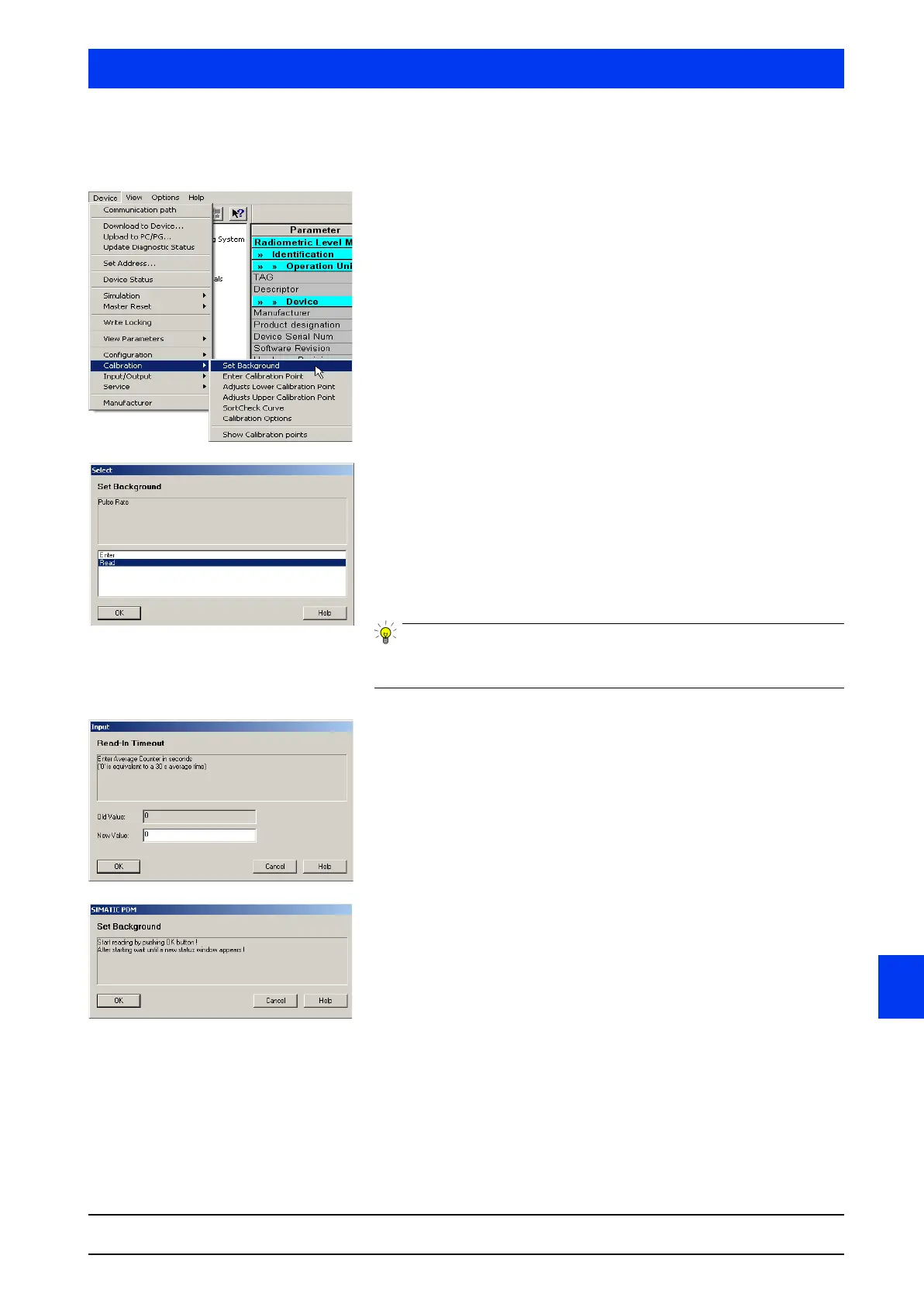
4.3.1 Set Background
Select DEVICE CALIBRATION SET BACKGROUND.
Select READ and confirm the selection with OK.
•For rod detectors the background has to be determined by
reading in the pulse rate (
READ).
•For point detectors you can enter a pulse rate of approximately
40 pulses via
ENTER. We recommend, however, reading in the
background for point detectors as well to determine the actual
background.
For more information on the background please refer to chapter
6.1.
Confirm averaging time with
OK.
Start reading-in the pulse rate by clicking
OK.
The count rate reading-in process has started. If the process is
started with “0” it takes 30s until the count rate is read in.



 To Next Page