Status Bar
Status Bar
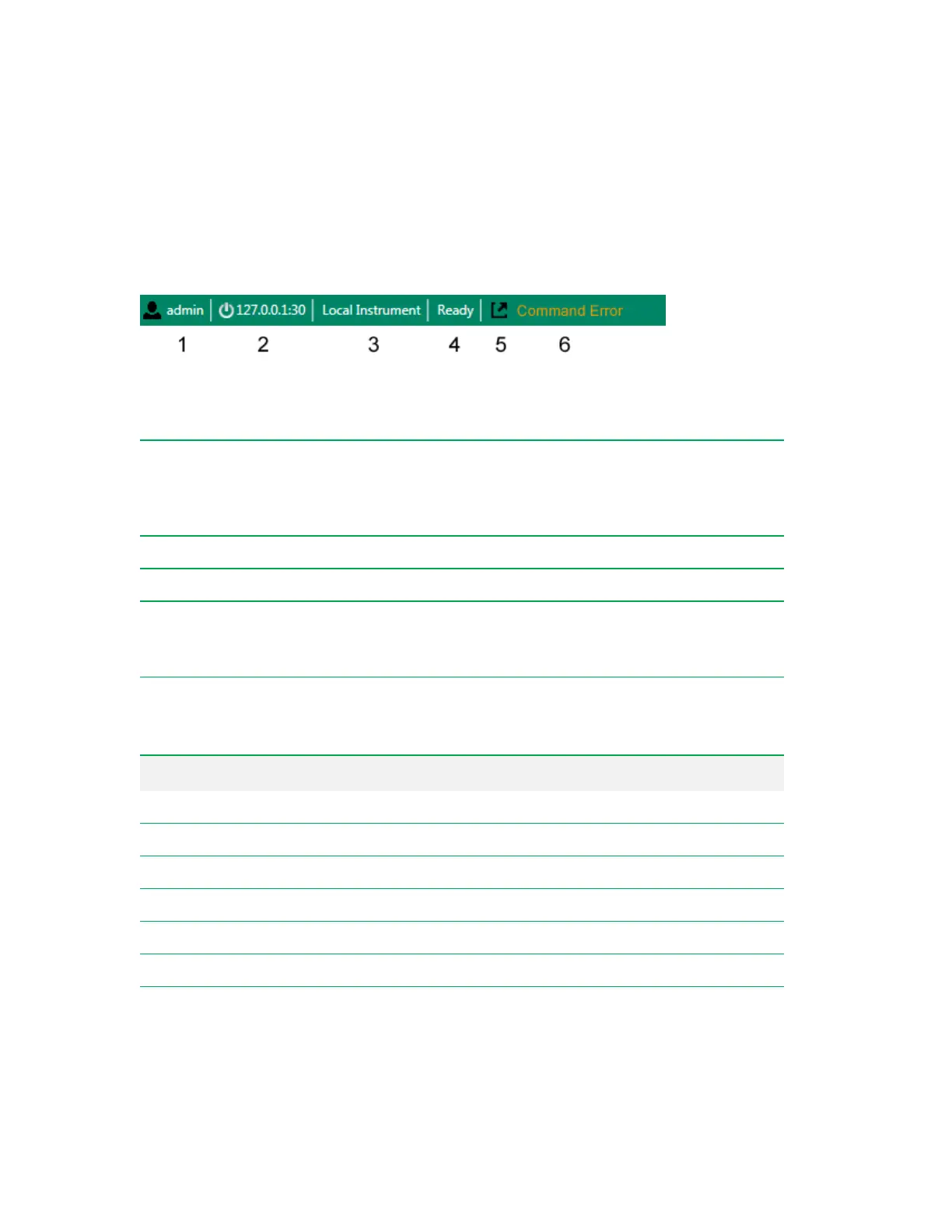
At the bottom of the Everest Software window, the status bar displays important information about the
system and its users.
Legend
1
Currently logged-in user.
2
IP address of the instrument that is connected to the computer.
Note: Do not click the IP address link unless instructed to do so by Bio-Rad Technical
Support. This link is used to disconnect Everest Software from the ZE5 Cell Analyzer and
reconnect it for troubleshooting purposes.
3
Indicates that the instrument is directly connected to the computer.
4
Displays the system status.
5
Adds a window that displys a log of all error, warning, and information notifications that have been
issued since the software was started.
Note: This log window appears only in the Acquisition workspace.
6
Displays the most recently issued instrument status warning.
Status Description
Starting Up The system is performing the startup process.
Calibrating The system is running the QC process.
Ready The system is running and ready to acquire samples.
Acquiring The system is currently acquiring sample.
Paused The system is paused; lasers are turned off and sheath is not running.
Cleaning Probe The system is running cleaner through the sample line and probe.
Decontaminating The system is running the Decontamination process.
Table 30. Possible system statuses
User Guide | 99



 To Next Page