Chapter 8 Acquiring Samples
Item Function
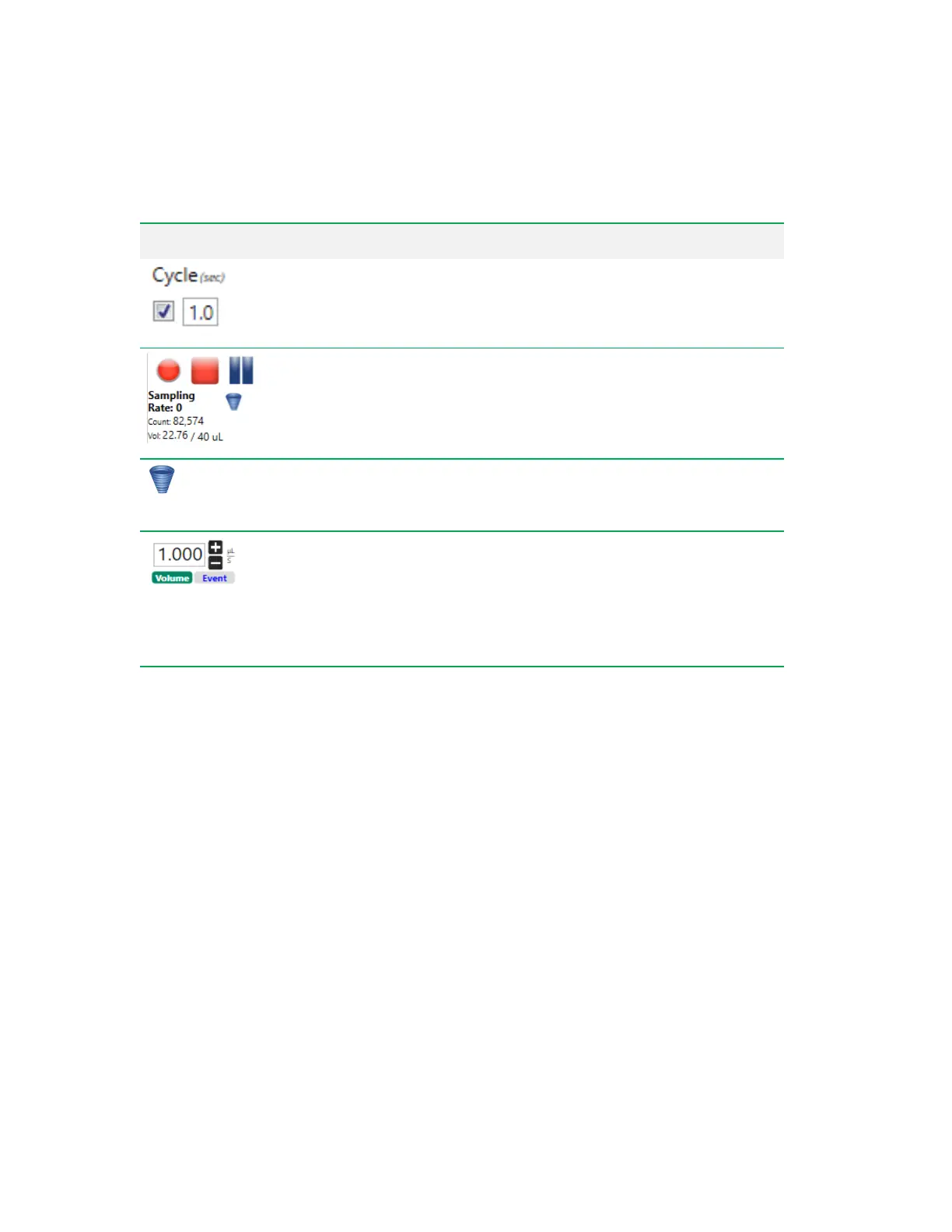
Cycle Mode
— when activated, plots display only a certain number of
events, based on the time period specified in this box. After the interval is
reached, data are cleared from the plots and newly acquired events appear.
Event Rate and Volume
— during sampling, displays the triggered event
rate, the event count, and the volume that has been acquired from the sample
during the current run, along with target volume.
Agitate
— allows you to apply agitation to a sample that has been sitting for
an extended period. Click to turn on agitation at the default speed for the
media type. Click again to turn off agitation.
Flow Rate
— flow rate can either be determined by a target volume rate or
by a target event rate. To switch between volume control and event rate
control, click the corresponding button. Change the value in the box by
clicking the plus and minus buttons (for volume rate only) or by entering it
directly.
Tip: 0.1 µl is the smallest flow rate.
Table 39. Setup Mode Control Items, continued
Acquiring Initial Sample in Setup Mode
Before proceeding through these steps, ensure that you have set up an experiment using the Everest
Experiment Builder (unless you are running a stat tube, which does not require experiment setup).
Use the information in Configuring Instrument Settings on page 257 to fine-tune instrument settings
while in Setup mode.
Note: Event, volume, and gate limits apply only when recording data in Setup mode.
Important: While the system is acquiring sample in Setup mode, the following functions are
disabled:
n Initiating the ZE5-EYE process
n Shutting down Everest Software and the ZE5 Cell Analyzer
n In the Instrument tools:
o Returning sample probe to home position
o Cleaning the sample line and probe
278 | ZE5 Cell Analyzer and Everest Software



 To Next Page