Chapter 2 Hardware Description
Power and Communication Connections
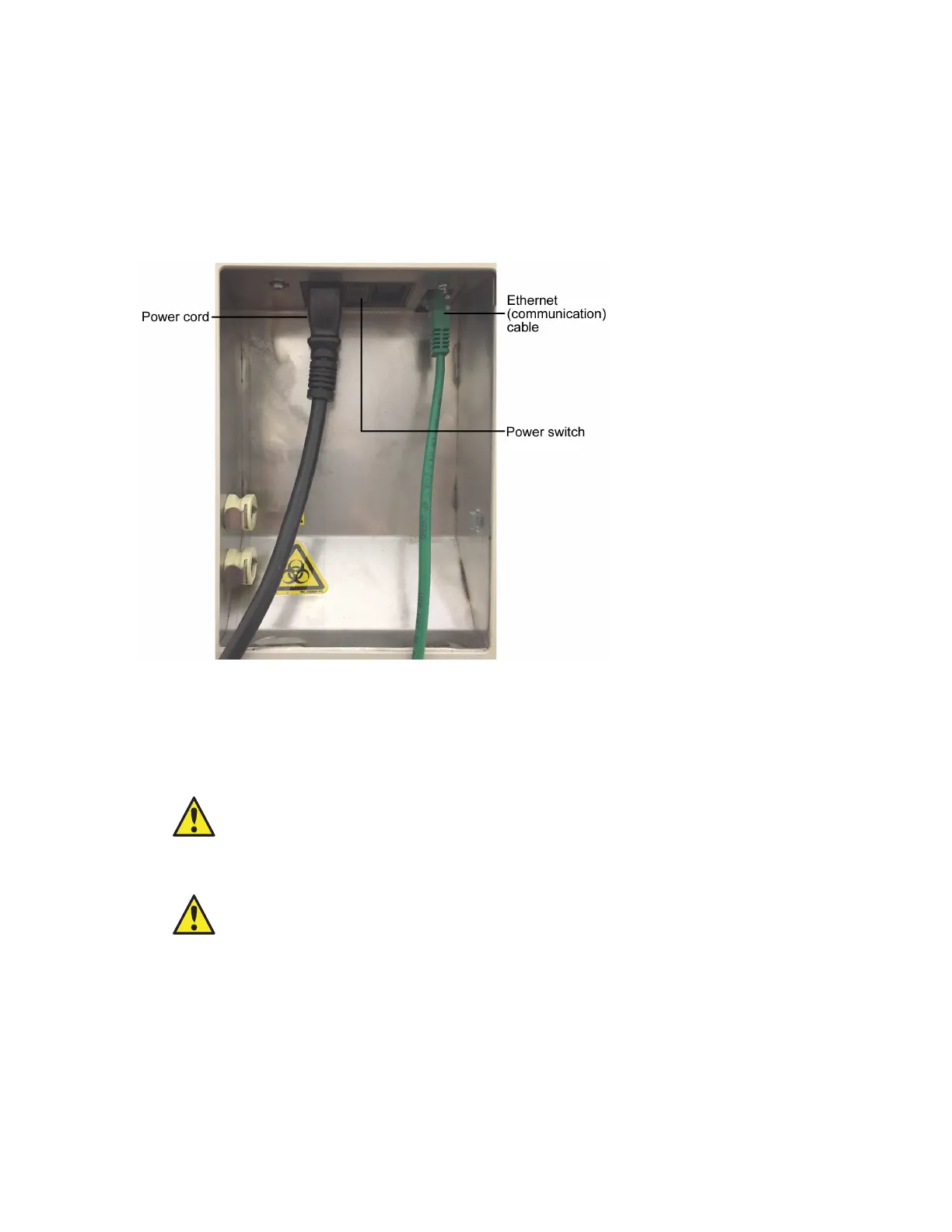
Power and communication connections are located on the back of the ZE5 Cell Analyzer.
The following features are located in this entry panel:
n Power cord (black) — IEC-compliant AC power cord.
n Ethernet cable (green) — connects the instrument to Ethernet port of the computer workstation.
Used for data transfer and software control of the instrument.
Caution: Be careful not to trip on the power cord or Ethernet cable when you walk
around the instrument.
n Power switch — press the main power switch to turn on power to the system.
Caution: Do not use the main power switch to shut down the system. Shut down the
system using Everest™ Software. For more information, see Shutting Down on
page 161.
This area of the instrument also contains optional connections for external DI water and external
waste. For more information, see Appendix C, Optional External DI Water and Waste Ports.
26 | ZE5 Cell Analyzer and Everest Software



 To Next Page