Chapter 5 Configuring the System
Exporting Optical Filter Configurations
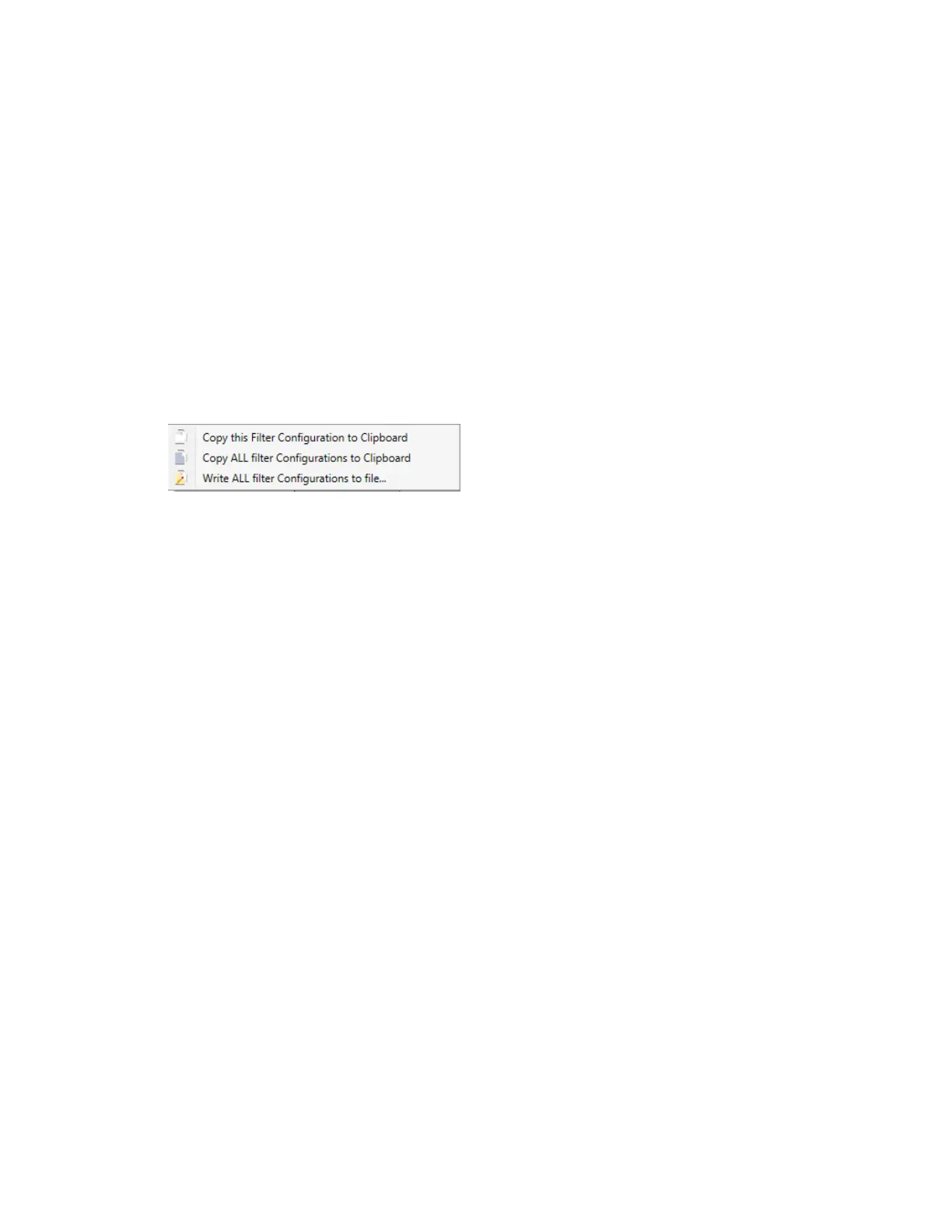
You can copy a single filter configuration or all filter configurations to the clipboard. The copied item, in
BMP graphic format, can then be pasted into another application. You can also write all filter
configurations to a single BMP file.
To export optical filter configurations
1. Right-click the detection path diagram or the filter bank diagram in the Filter Configuration dialog
box.
2. Select an option from the menu that appears.
3. Do one of the following:
n If you selected one of the Copy options, paste the graphic into the application of your choice.
n If you selected the Write option, select a location for the file and click Save.
Reverting to the Default Optical Figure Configuration
Administrators can revert to the original filter configuration settings in the software. Before performing
this task, ensure that the original filters are in their original slots.
To revert to the default optical filter configuration
1. In the Filter Configuration dialog box, click Revert to Factory Filter Configuration.
2. Click OK.
The ZE5-EYE process runs and a success or failure message appears in the status bar.
134 | ZE5 Cell Analyzer and Everest Software



 To Next Page