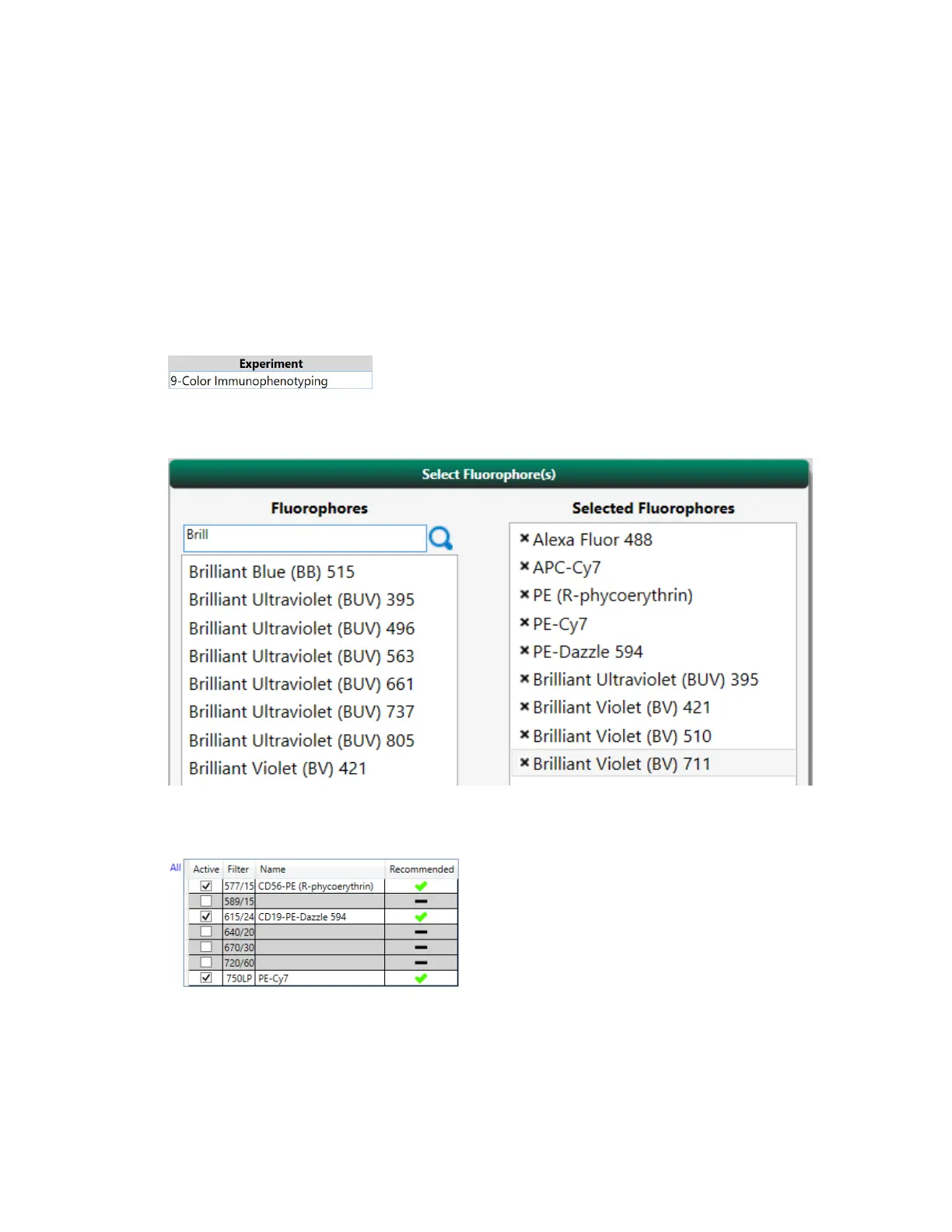
Appendix B Example 9-Color Immunophenotyping Experiment
Setting Up Fluorophores and Controls
After you set up the fluorophores, Everest Software helps you quickly assign corresponding control
positions.
1. In the Home window, click New Experiment.
2. Enter the name for the experiment and click the Next arrow.
3. In the Selected Fluorophores pannel, double-click fluorophore names in the Fluorophores list to
add them to the Selected Fluorophores list.
4. In the Available Detection panel, change the parameter names to reflect the cell markers used in
the experiment.
5. Click the Next arrow.
360 | ZE5 Cell Analyzer and Everest Software



 To Next Page