Using Plot and Histogram Tools
Applying Gate Limits
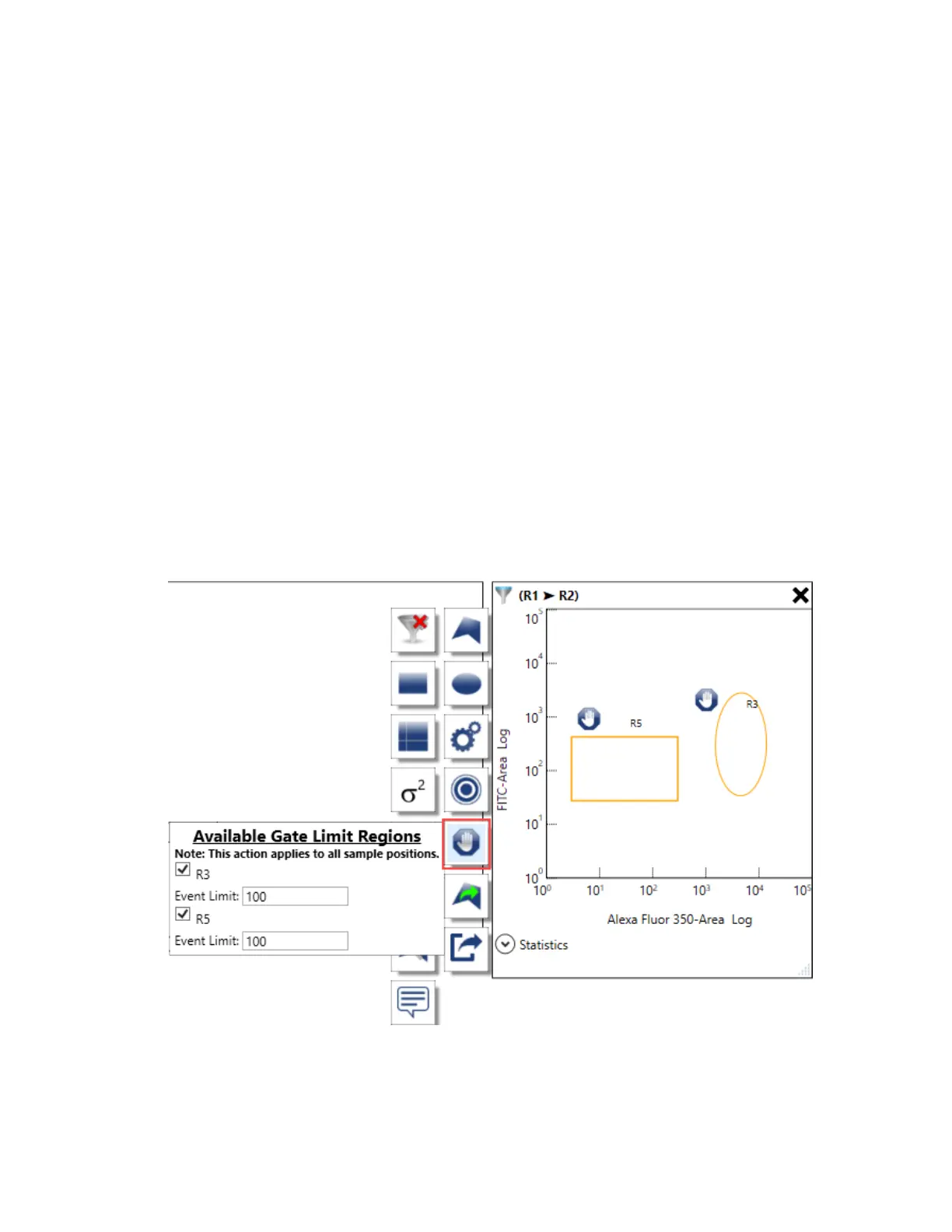
Use the Gate Limit tool in the workspace to apply a limit to a region. Acquisition stops when the
specified number of events has accumulated in the region or when sample is depleted.
To apply a gate limit to a region
1. Point to a plot or histogram that contains the region(s) that you want to gate.
The plot and histogram toolbar appears.
2. Click Assign Gate Limit Regions.
3. In the Available Gate Limit Regions area that pops up, select the checkbox for each region that
you want to gate.
4. If needed, change the Event Limit value for each gated region.
5. Point outside the plot or histogram to save your changes.
A gate symbol appears to the upper left of the region(s), indicating that a gate limit has been
applied.
User Guide | 241



 To Next Page