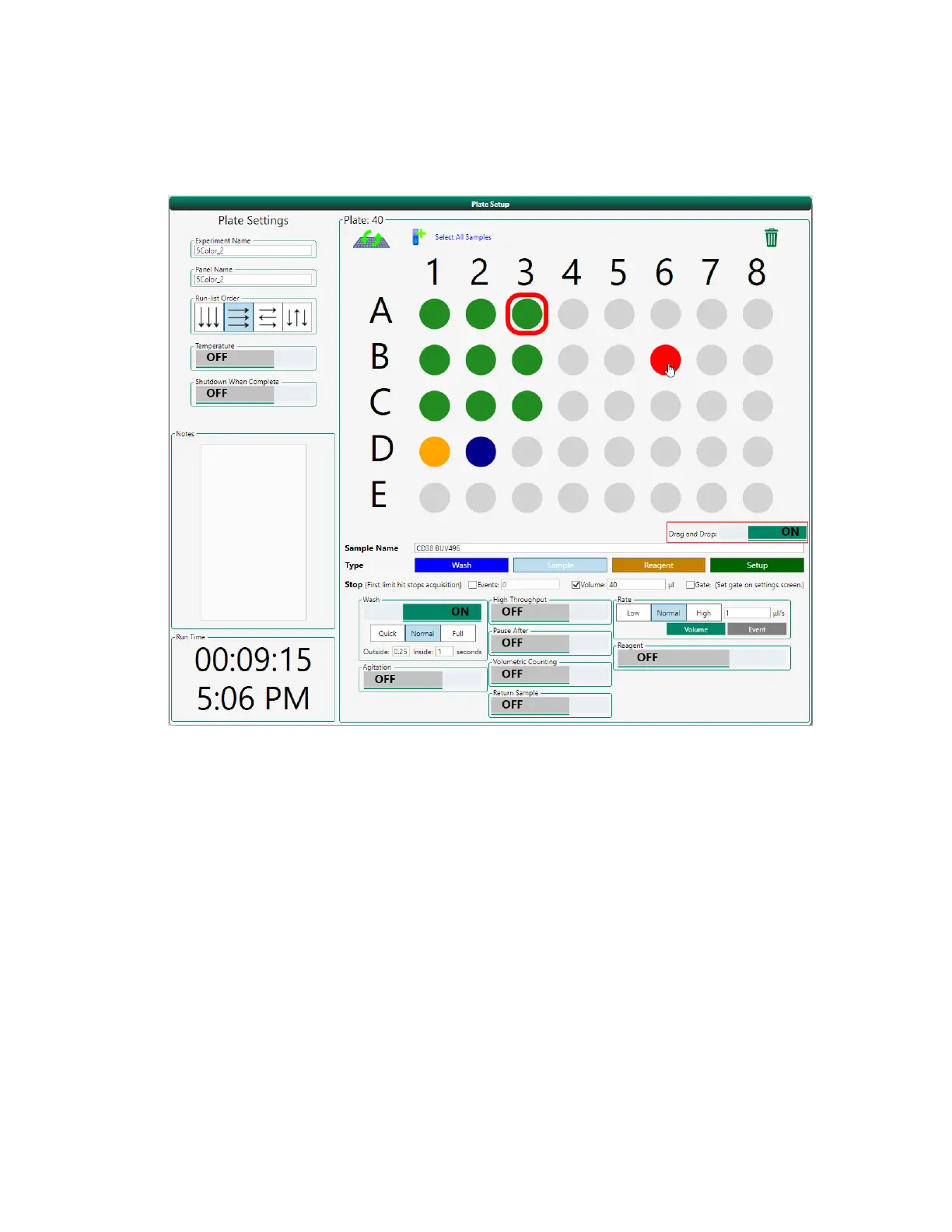
Setting Up the Run List
b. Drag a filled position to an empty one.
c. Click Drag and Drop to turn off the feature.
Selecting Standard or High-Throughput Acquisition
In the default standard (single sample) Acquisition mode, there is only one sample in the sample line
at any given time. When high-throughput mode is activated, samples are aspirated continuously; the
sample line contains multiple samples, each sample is separated by a boundary of air and wash fluid.
Select high-throughput mode to achieve the highest possible sample throughput. For more
information about high-throughput mode, see High-Throughput Mode on page 76.
To select high-throughput mode
1. In the plate map, select the positions to sample in high-throughput mode.
2. Click the High Throughput button.
User Guide | 199



 To Next Page