Chapter 4 Everest Software
Button Function
Appears in
plate map as
Designates the position as a setup or control
sample. Controls generated using the
compensation template are automatically
designated as setup samples.
Not applicable. Unassigned position.
Table 19. Position Type items and their functions, continued
Position Images
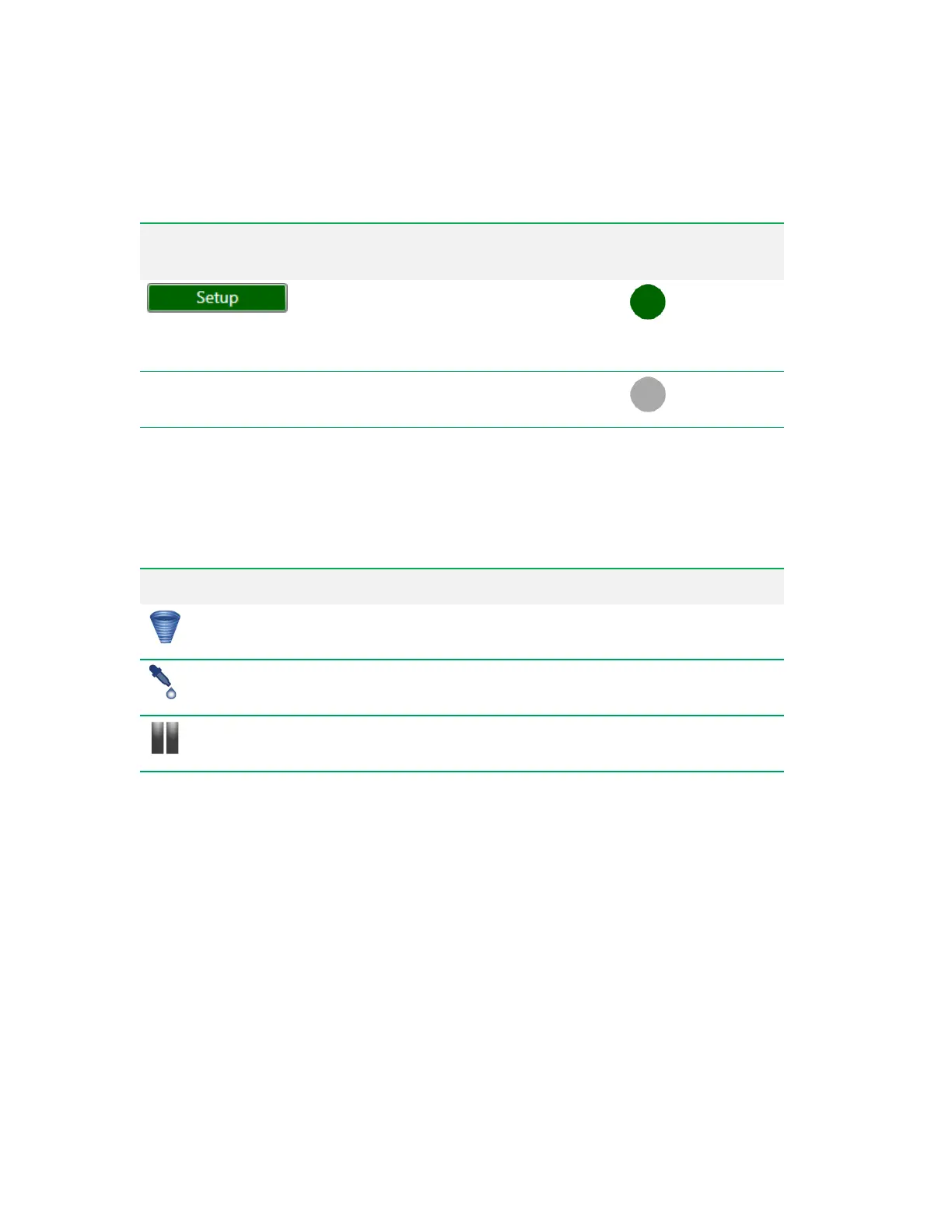
The following table defines the small images that can appear on sample positions, depending on
which sample parameters have been selected.
Image Description
Appears on positions where agitation has been activated.
Appears on positions where addition of reagent has been specified.
Appears on positions after which the run list will be paused, allowing you time to perform
tasks such as applying automatic compensation.
Table 20. Images used on sample positions
High-Throughput Mode
There are two ways to run samples: standard mode and high-throughput mode.
In the default standard (single sample) Acquisition mode, each sample is acquired as an independent
run. The sample is boosted to the flow cell before acquisition begins and there is only one sample in
the sample line at any given time. Sampling continues until the event limit, volume limit, or gate limit is
reached. If multiple limits are set, sampling stops when the first limit is reached. The sample pump
runs backward to clear the line, then a wash occurs before the probe moves to the next position.
When high throughput is turned on for selected positions, samples are aspirated continuously and
each sample is separated with a series of air and water boundaries depending on the selected inside
wash time.
76 | ZE5 Cell Analyzer and Everest Software



 To Next Page