Chapter 7 Creating Experiments and Workspaces
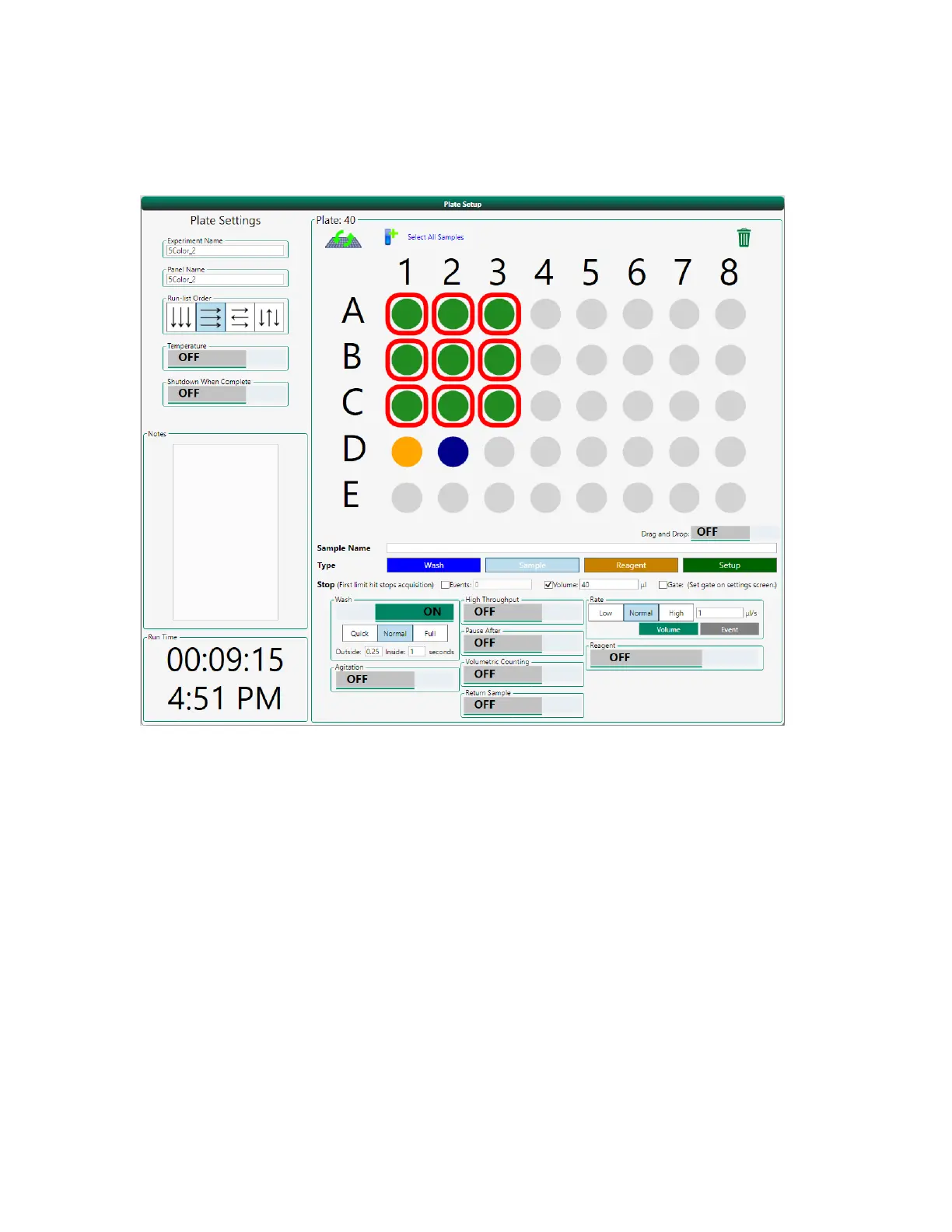
To assign position types
1. Drag your cursor over a region of the plate or tube rack and click the appropriate button.
Selected positions are highlighted with red boxes. If you turned on Compensation in the Selected
Fluorophores panel, Setup positions will have already been configured.
2. To change the location of any assigned position:
a. Click the Drag and Drop button in the lower right of the plate map.
198 | ZE5 Cell Analyzer and Everest Software


 To Next Page