Managing Users
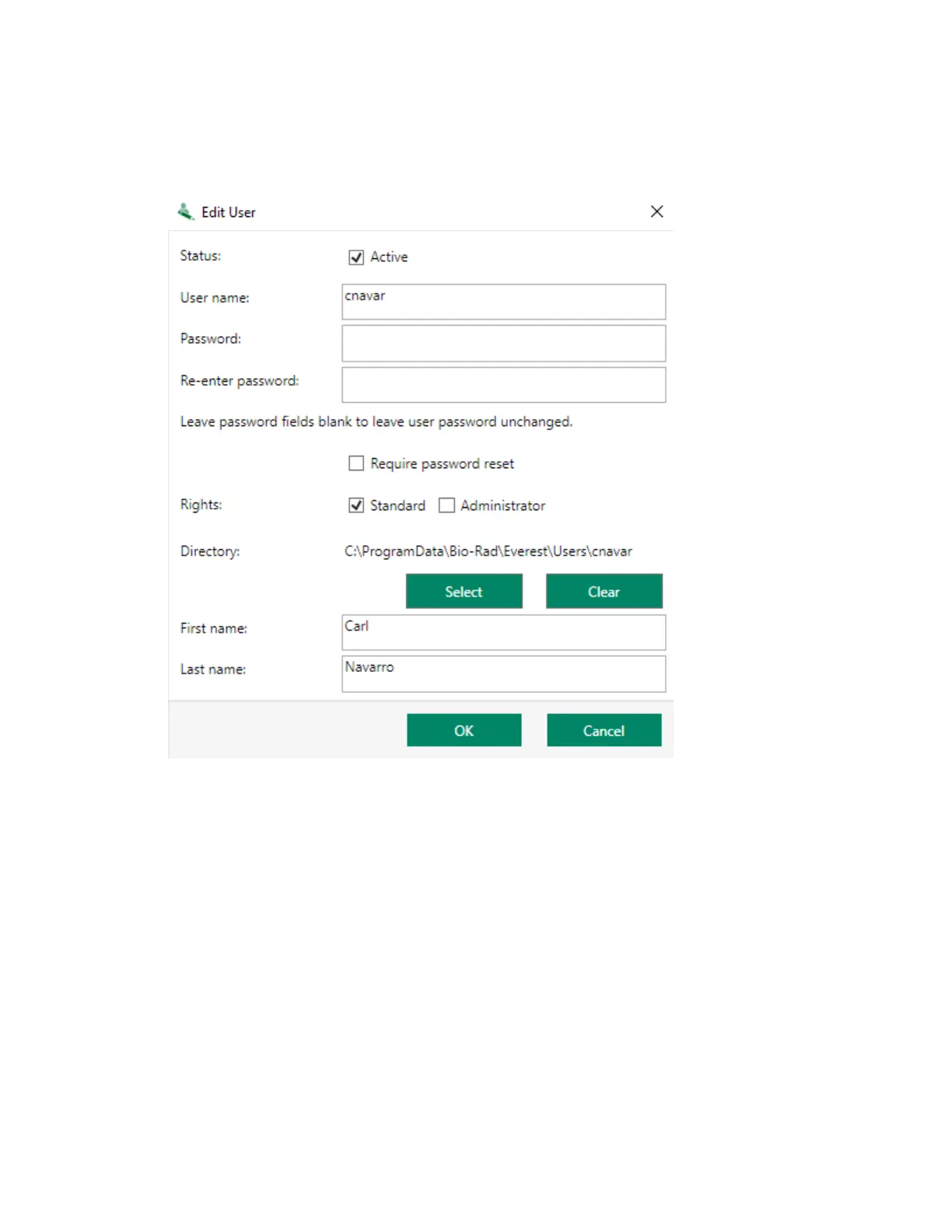
2. Modify the information in the Edit User dialog box.
Note: Any path specified in the Directory area takes precedence over the default file save
path set in the global preferences. For more information, see Setting File Save Parameters on
page 115.
3. Click OK.
Tip: If all administrator passwords are lost or forgotten, call Bio-Rad Technical Support to receive
a temporary administrator password.
User Guide | 109


 To Next Page