Chapter 5 Configuring the System
n When an optical filter configuration is saved in the software
n When the optical filter settings are reverted to the factory settings
Administrators can edit the optical filter configuration to correct problems detected by the ZE5-EYE
process.
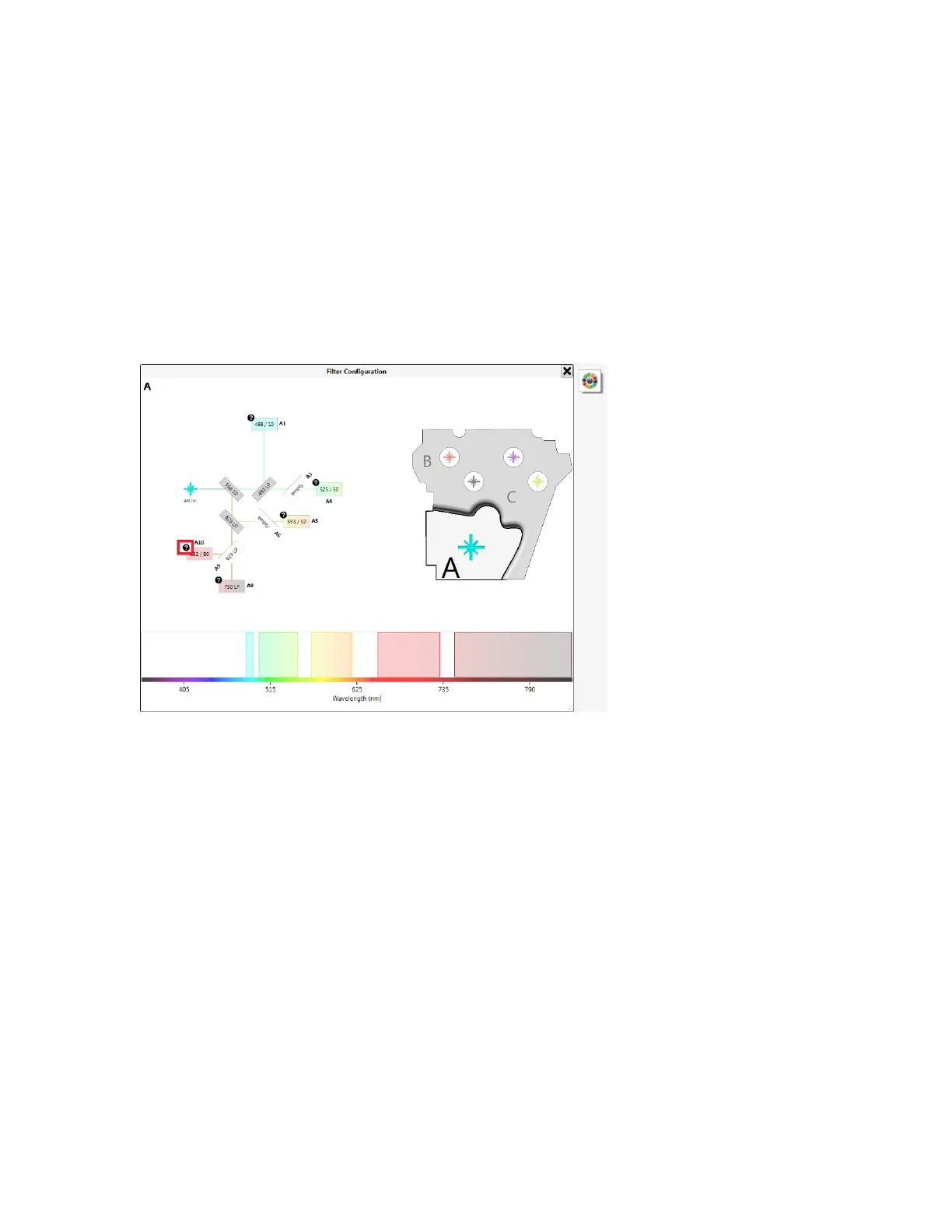
Before the ZE5-EYE process runs, a black circle with a question mark appears next to each detector,
as shown in the next figure.
Note: If the ZE5-EYE runs while you have plots open in an experiment workspace, data might
appear in the plots.
To confirm filter choices using the ZE5-EYE
1. If the ZE5-EYE did not run automatically, click the ZE5-EYE button located to the right of the Filter
Configuration dialog box, as shown in the next figure.
136 | ZE5 Cell Analyzer and Everest Software



 To Next Page