Starting Up the System
Reloading Flash Details Loads instrument-specific default settings from onboard
flash memory to Everest Software. This includes the
instrument's serial number, channel and pinhole
configuration, as well as settings specific to the loader,
probe, sampling rate, sample pump, and bulk fluidic
sensors.
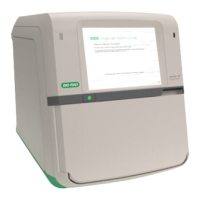
Initializing Devices Initializes the ZE5 instrument and subcomponents for
startup.
Initializing Fluidics Initializes the fluidics system by starting the cleaner,
water, waste, waste evacuation, air, and cooling pumps.
The air pump begins to slowly pressurize an internal air
bottle from 0 to 10 psi, which in turn regulates sheath
pressure in the internal sheath reservoir (separate from
the bulk sheath tanks).
Homing Loader Homes the loader, probe, and wash station to a known
position to ensure all three are in the correct starting
position and ready to run samples.
Setting Rinse Pressure Sets cleaner pressure to 12 psi for subsequent steps
using cleaner (approximately 5 ml of cleaner is used in
the startup process).
Purging Wash Lines Runs deionized water through wash lines.
Setting Clean Pressure Sets clean pressure to 12 psi for subsequent cleaner
steps.
Getting Sheath Ready Waits for the air pump to reach a sheath pressure of
10psi, and if necessary waits for the internal sheath
reservoir to fill to approximately 160 ml (or a level of
40mm).
Flushing Flow Cell with Cleaner The flow-cell cleaner port opens and the cleaner pump
fills the flow cell with cleaner.
Flushing Flow Cell and Sample Line with
Cleaner
The sample pump runs backward to move cleaner
backward through flow cell and sample lines.
Turning Sheath On The sheath pump turns on to fill the flow cell with sheath.
Flushing Flow Cell with Sheath The sheath pump fills the flow cell with sheath.
Table 31. Steps in the startup process
User Guide | 155



 To Next Page