Chapter 6 Daily Routine
Note: Shutdown cannot be performed if acquisition is in progress.
To shut the system down at the end of the day
1. Close the loader door.
2. Click Shutdown.
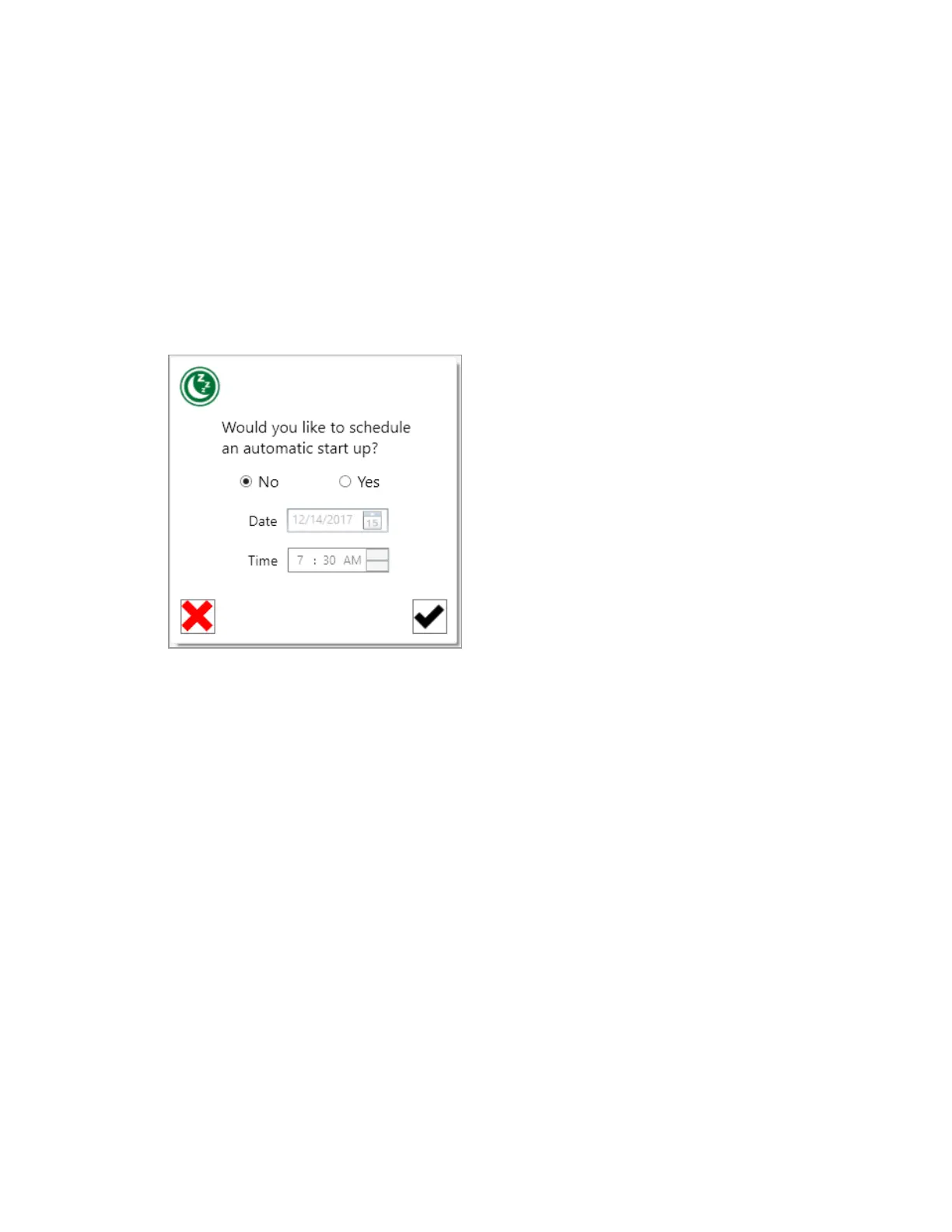
The system queries you to schedule an automatic startup.
3. Do one of the following:
n Select No to skip scheduling an automatic startup.
n Select Yes to schedule an automatic startup. Specify a restart date and time.
4. Click the check mark.
The Shutdown Progress symbol appears. If you scheduled an automatic startup, the countdown to
startup begins.
Important: If Everest Software is not running, any scheduled automatic startup will not be
performed. Leave the software running if an automatic startup is scheduled. The sheath
bottles must be sufficiently full and the waste bottles must be sufficiently empty to allow 2 hr of
run time. If the system automatically starts up and no user logs in within 1 hr, the system shuts
down.
5. Empty the waste bottles and refill the sheath bottles if needed.
6. To view shutdown details, click the down arrow.
162 | ZE5 Cell Analyzer and Everest Software



 To Next Page