Chapter 9 Applying Fluorescence Compensation
Tip: You can activate the Pause After function at the last control tube position so that
acquisition stops after this tube and compensation can be calculated before the sample
positions are acquired. For more information, see High Throughput, Pause After, Volumetric
Counting, and Return Sample Settings on page 194.
7. Proceed to the workspace Settings screen.
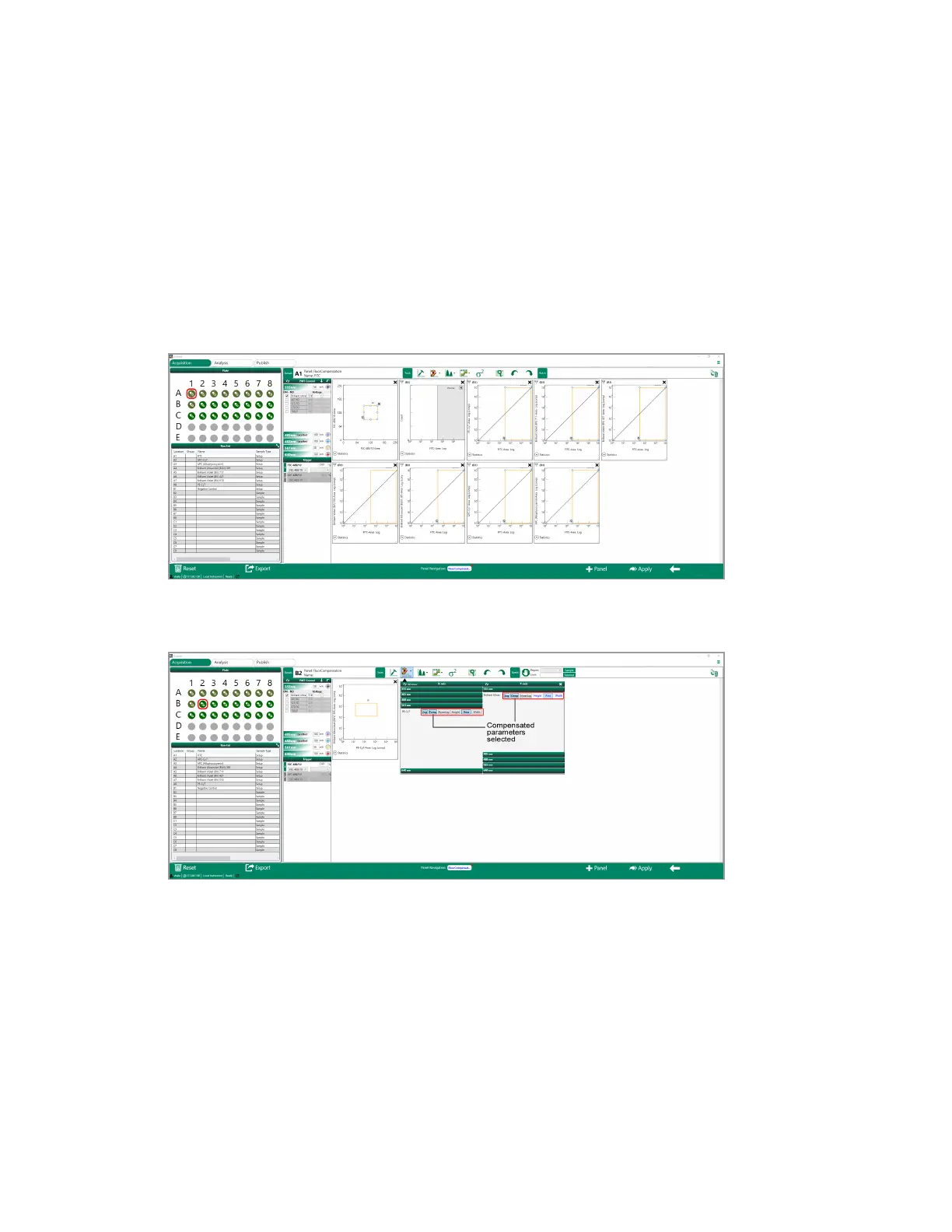
Everest Software sets up a unique workspace, including plots, for each compensation control.
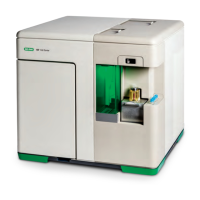
Tip: When creating plots for the samples, select the Comp option for each axis in the plot
builder to show compensated parameters on the plots.
8. Click Apply to apply the experiment to the workspace.
294 | ZE5 Cell Analyzer and Everest Software


 To Next Page