Chapter 12 Maintenance
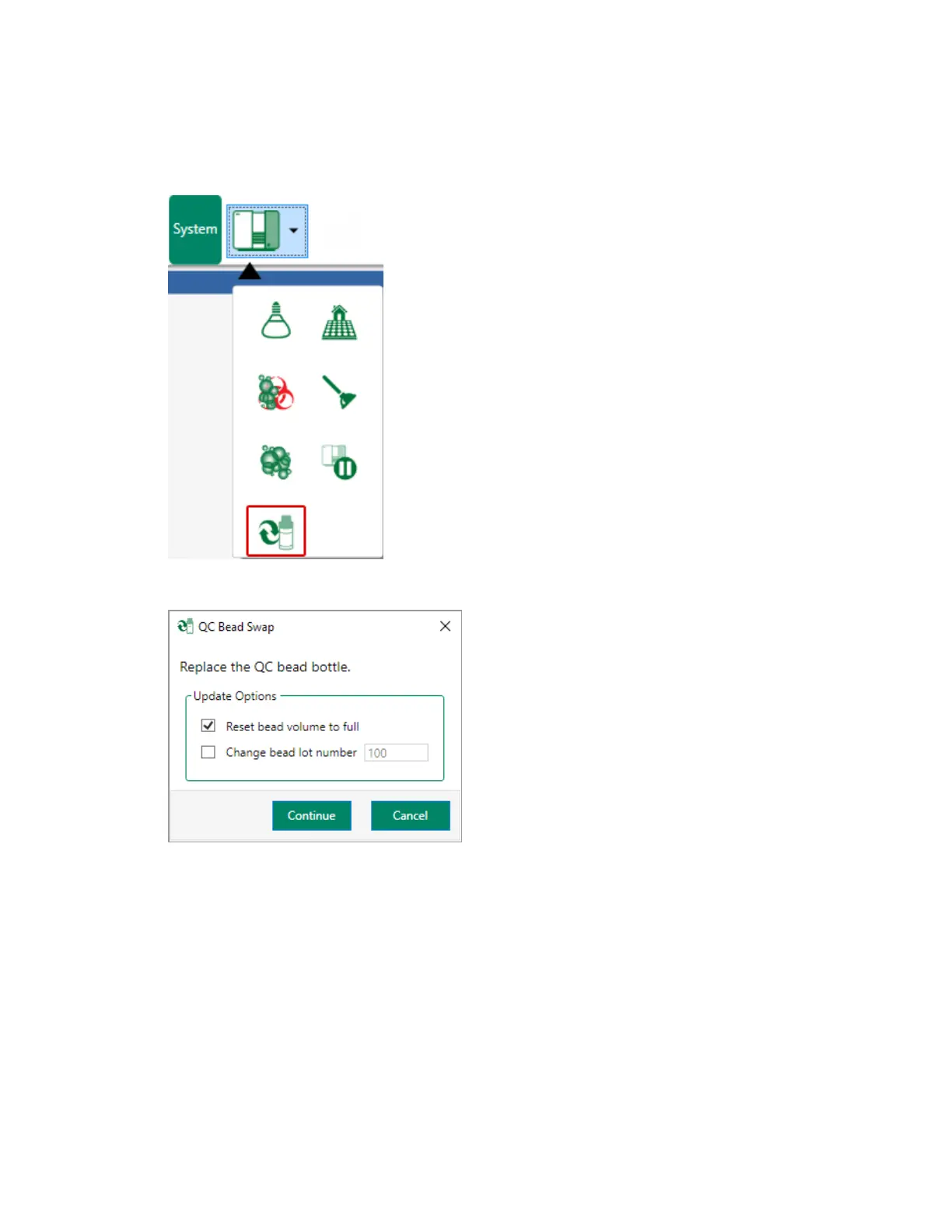
The QCBead Swap dialog appears.
2. In the ZE5 Cell Analyzer, replace the QC bead bottle.
3. In the QCBead Swap dialog box, select the appropriate update options:
n If you replace the QC bead bottle with a bottle that is not full, clear the Reset bead volume to
full checkbox. If the bottle you insert is full, ensure the checkbox is selected (the default
setting).
n If you replace the QC bead bottle with a bottle from another bead lot, select Change bead lot
number and enter the number in the text box.
336 | ZE5 Cell Analyzer and Everest Software



 To Next Page