Chapter 4 Everest Software
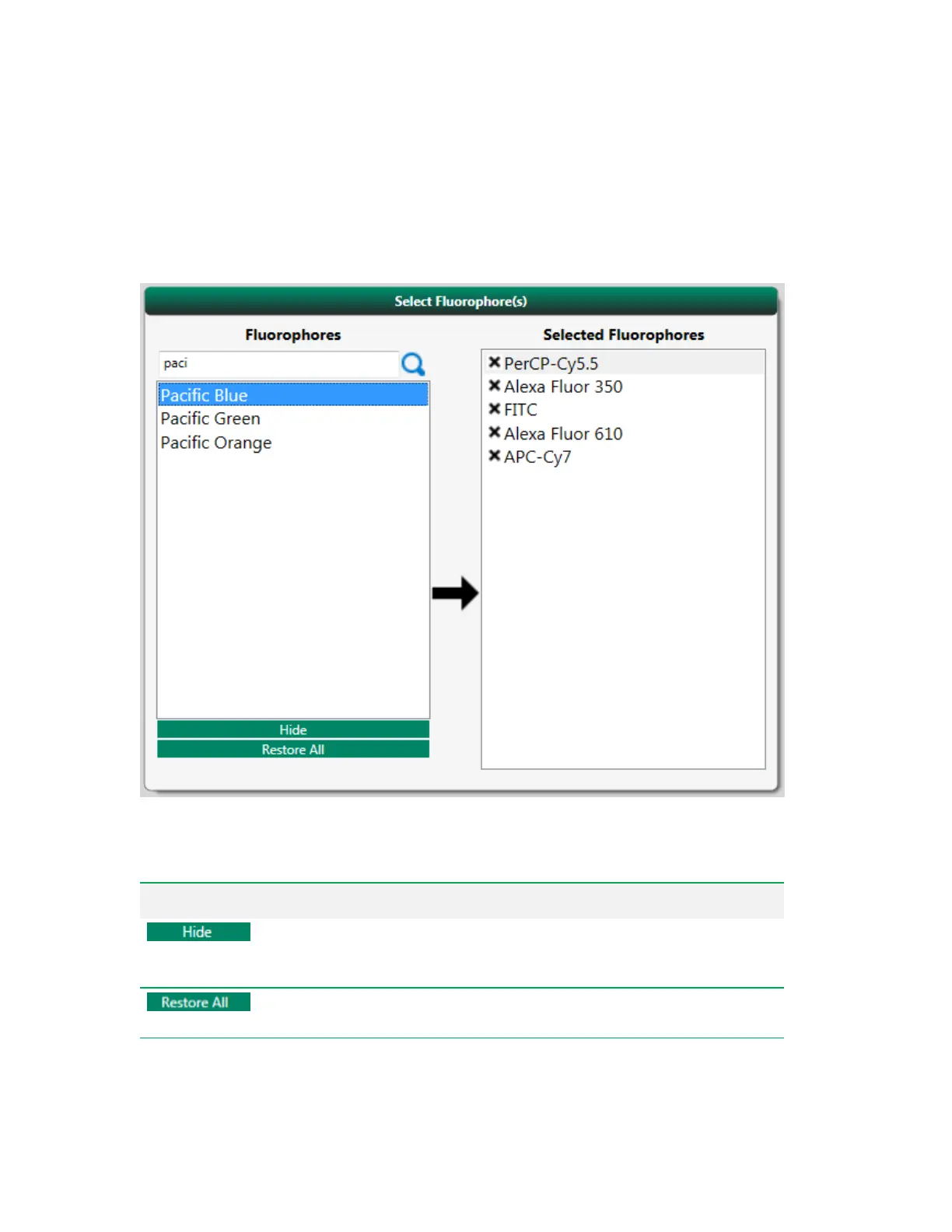
Select Fluorophores Panel
In the Select Fluorophores panel, you can double-click a fluorophore to add it to the list of Selected
Fluorophores. This list determines which PMTs and lasers are activated in the acquisition workspace.
Tip: Use the search box to quickly find a fluorophore by typing in the first few letters of its name.
Item Function
Hides fluorophores that are not used regularly. These settings apply to
the logged-in user’s profile; the selected fluorophores will not be hidden
from other users.
Restores the fluorophore list to the default list delivered with Everest
Software.
Table 15. Select Fluorophore(s) panel items and their functions
66 | ZE5 Cell Analyzer and Everest Software



 To Next Page