07K5-02C
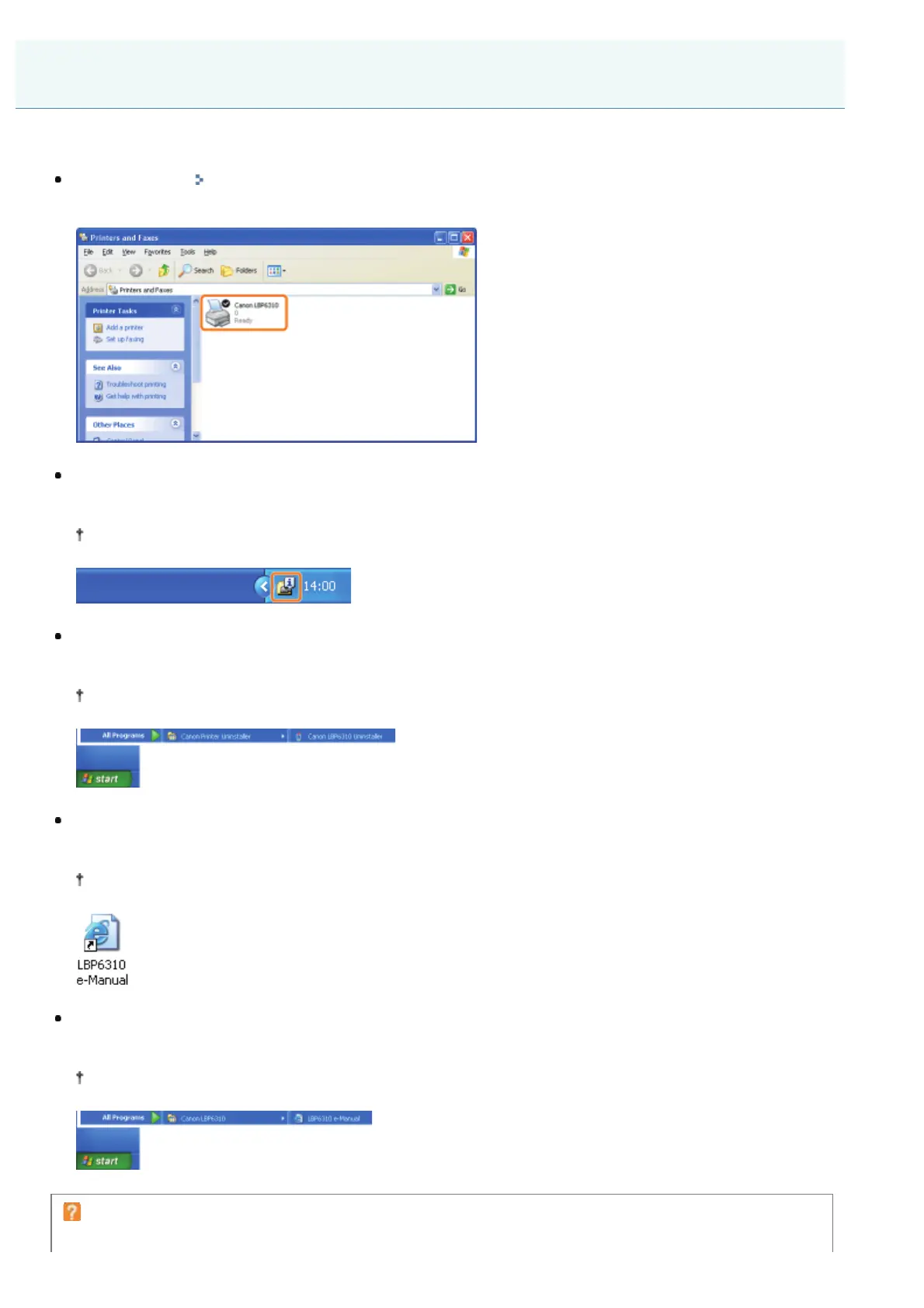
If the printer driver is installed properly, the following icons, folders, and so on are added to the following locations.
Printer folder ( "Basic Operations/Various Information for Windows")
Printer icon for this printer
Task tray
Printer Status Window icon
The icon does not appear if you did not restart your computer after the printer driver installation.
[All Programs] or [Programs] under the [Start] menu
[Canon Printer Uninstaller] - [Canon LBP6310 Uninstaller]
Use this option when uninstalling the printer driver.
Desktop
[LBP6310 e-Manual]
This icon does not appear if you install the printer driver using a method other than Easy Installation.
[All Programs] or [Programs] under the [Start] menu
[Canon LBP6310] - [LBP6310 e-Manual]
This icon does not appear if you install the printer driver using a method other than Easy Installation.
If the icons and folders are not added
The installation is not completed properly.
After Installation
㻝㻞㻝㻌㻛㻌㻠㻡㻞














 To Next Page