07K5-07U
When the [Allow Profile Selection] and [Allow Setting Edition] check boxes are cleared, selecting and editing a "Profile" are
restricted.
To select or edit a "Profile", select the check box using the following procedure.
1
Open the printer folder.
"Basic Operations/Various Information for Windows"
2
Right-click the icon for this printer, and then select [Properties] or [Printer properties] from the pop-
up menu.
3
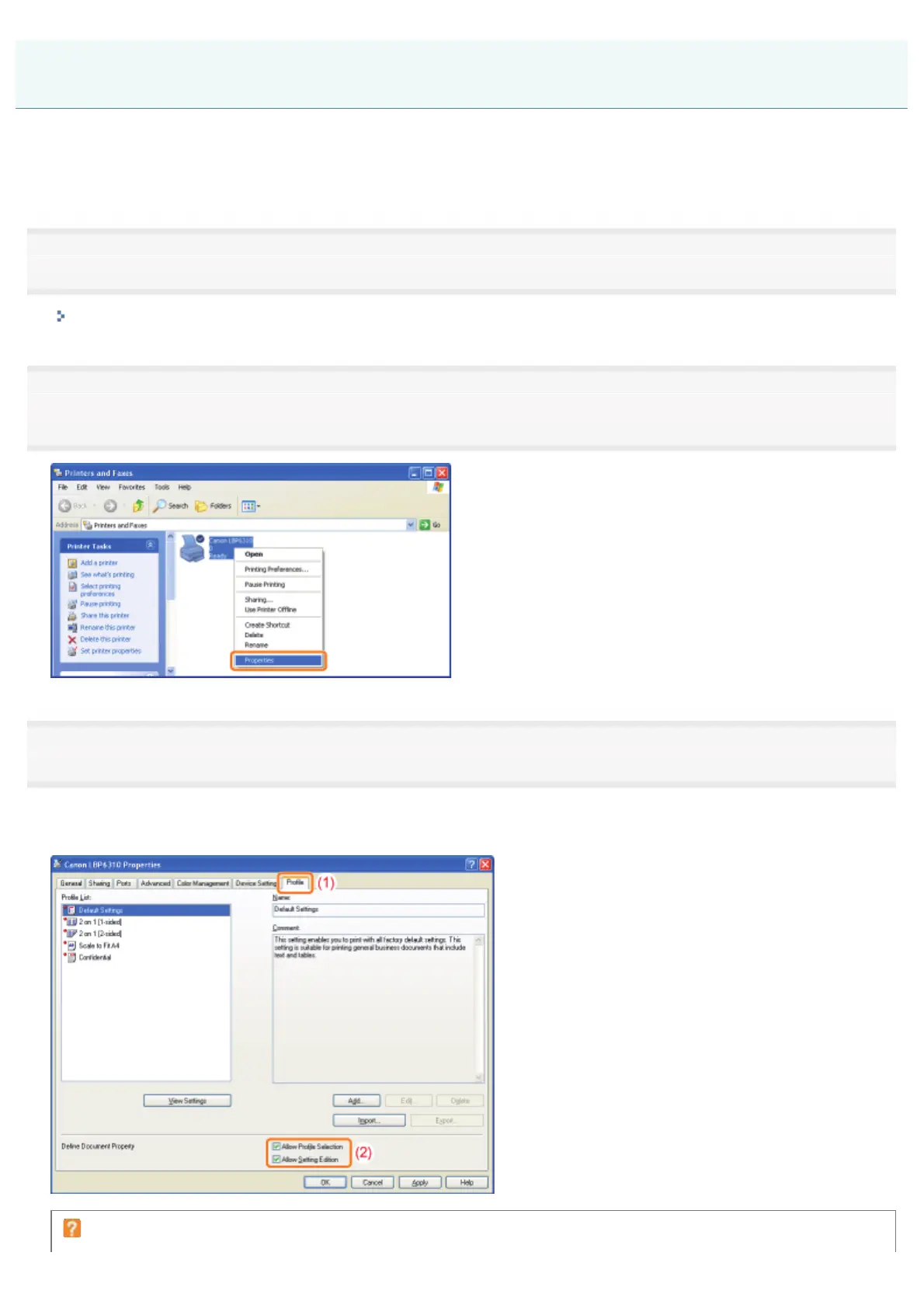
Change the settings for [Define Document Property].
(1) Display the [Profile] sheet.
(2) Select the [Allow Profile Selection] and [Allow Setting Edition] check boxes.
If you cannot change the setting
"Profiles" Cannot Be Selected or Edited
㻟㻥㻟㻌㻛㻌㻠㻡㻞














 To Next Page