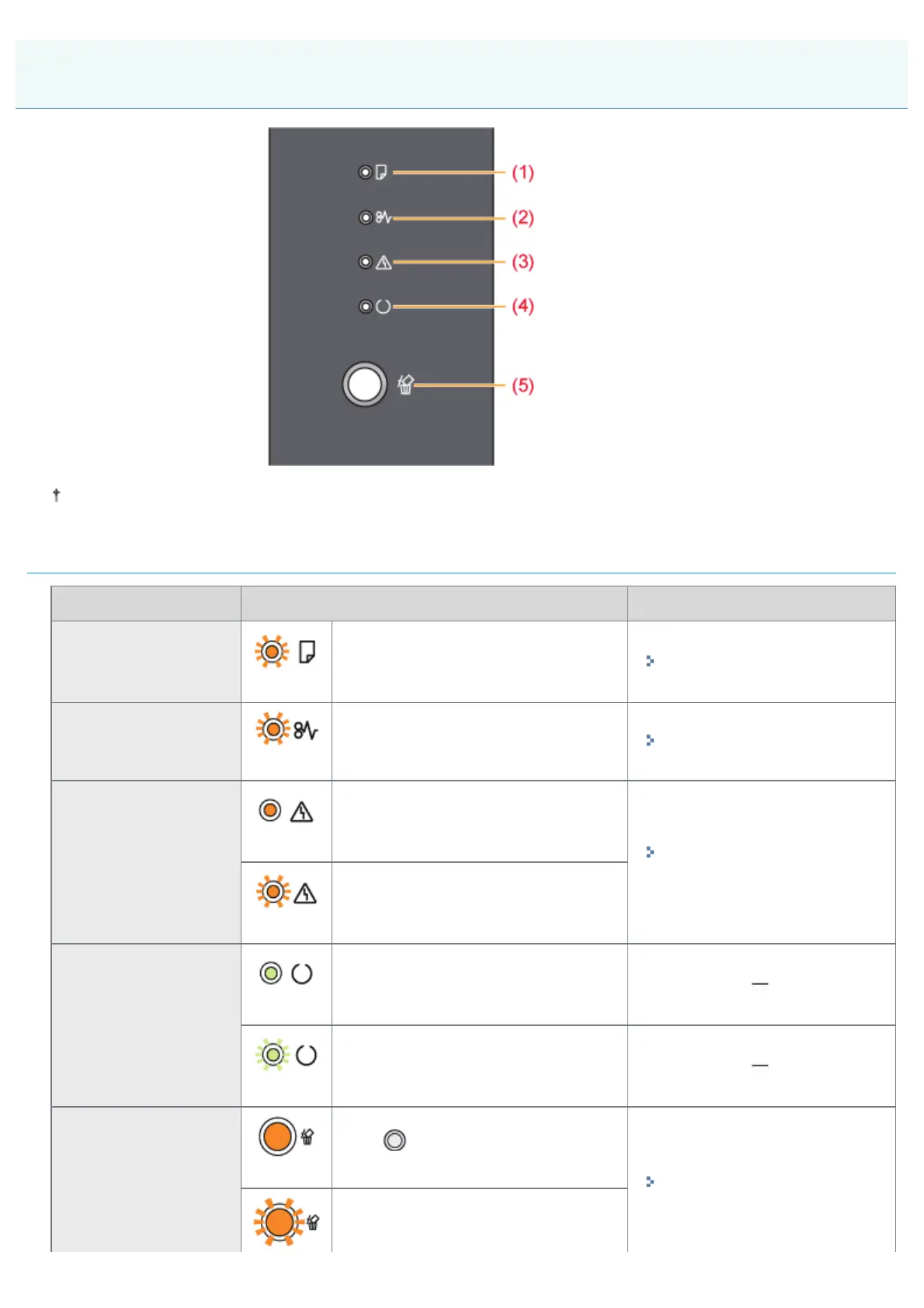
07K5-015
Unlike in the above illustration, the indicator names are indicated above the respective icons depending on the country
or region.
Indicators
Name Status Refer to
(1) Load Paper Indicator
(Blinking)
Printing cannot be performed because
no paper is loaded.
Paper of the correct size is not loaded.
"Paper Loading and Output"
(2) Paper Jam Indicator
(Blinking)
A paper jam is occurring and printing
cannot be performed.
"Paper Jams"
(3) Alarm Indicator
(On)
A service error is occurring and printing
cannot be performed.
"The Alarm Indicator Is
On/Blinking"
(Blinking)
An error is occurring and printing
cannot be performed.
(4) Ready Indicator
(On)
The printer is ready to print or in the
sleep mode.
(Blinking)
The printer is busy printing, preparing
to print, or cleaning.
(5) Cancel Job Indicator
(On)
The [
] (Cancel Job) key is being
pressed.
"Canceling a Print Job Using
the Cancel Job Key"
A job is being canceled.
Control Panel
㻡㻝㻌㻛㻌㻠㻡㻞














 To Next Page