07K5-02U
NOTE
When loading custom size paper
Because the procedure for loading custom size paper is different from that for loading standard size paper, see "Loading
Custom Size Paper."
Loading Standard Size Paper
For details on the paper that you can load in the paper drawer, see "Usable Paper."
Load paper in Drawer 2 (optional) in the same manner as you load paper in Drawer 1.
Before loading paper, see "Attention (Paper Drawer)."
1
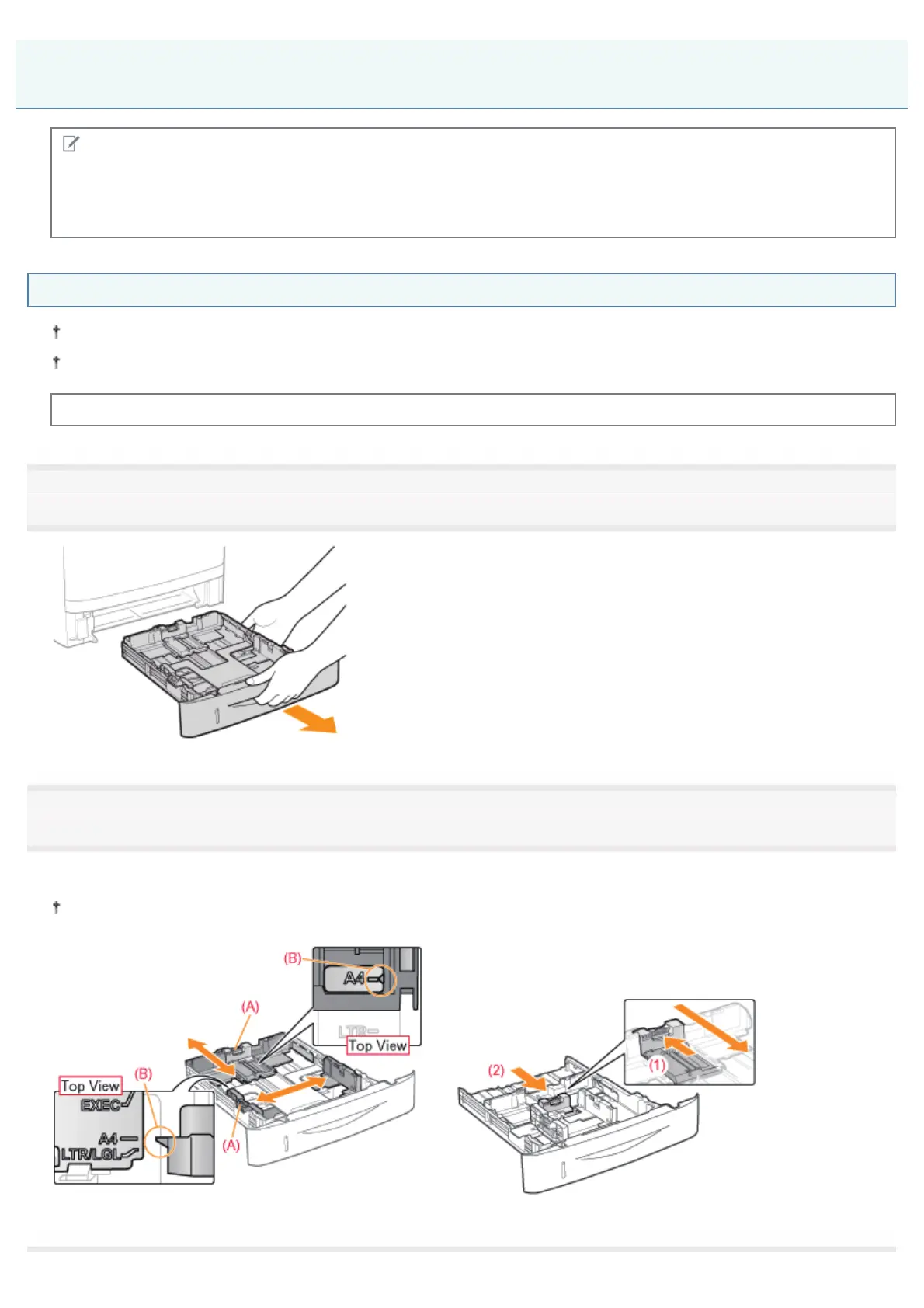
Pull out the paper drawer.
2
Slide the paper guides to the position of the size of the paper to be loaded.
While holding the lock release lever (A), adjust the guides.
Align the position of (B) with the size mark of the paper to be loaded.
When loading A6 paper
Slide the paper guide at the rear center toward you.
Loading Paper in the Paper Drawer
㻝㻠㻝㻌㻛㻌㻠㻡㻞














 To Next Page