07K5-04C
You can select paper for each page, such as for printing only the front cover on a different type of paper.
1
Display the setting screen of the printer driver.
"Displaying the Setting Screen"
2
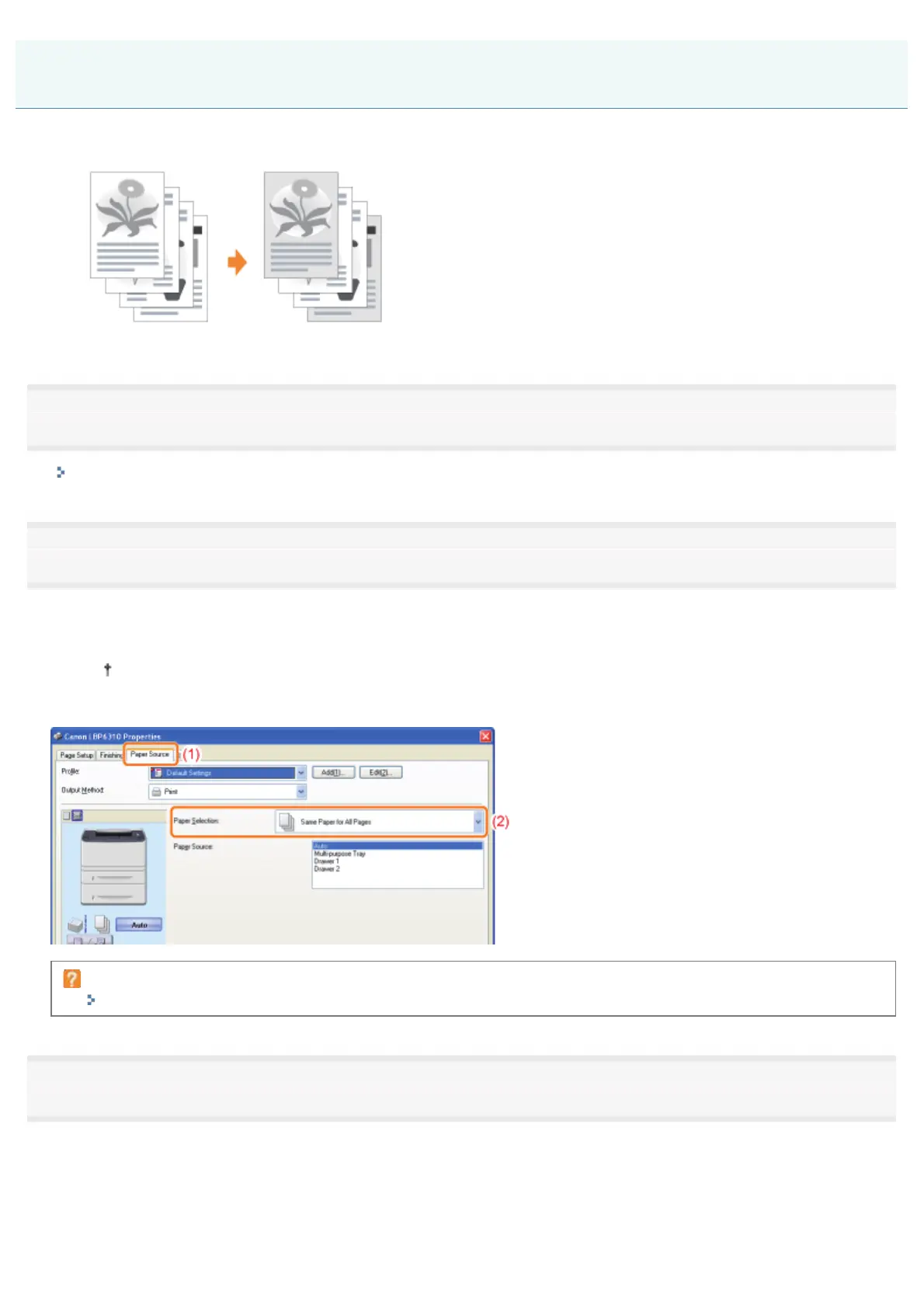
Specify the setting for [Paper Selection].
(1) Display the [Paper Source] sheet.
(2) Select the pages for which paper is specified.
[Different for Cover and Others] can be selected only if [Print Style] in the [Finishing] sheet is set to [Booklet
Printing].
If you cannot specify the setting
"The Printer Driver Settings Cannot Be Changed"
3
Specify the setting for the paper source to be used for each page.
Selecting Paper for Each Page
㻞㻝㻟㻌㻛㻌㻠㻡㻞














 To Next Page