07K5-06K
You can check the printer status, network settings, and so on by printing Status Print.
Status Print is designed to be printed on A4 paper. Be sure to use A4 paper.
You can also check the network settings and so on using the following software.
"Remote UI"
"FTP Client"
"NetSpot Device Installer"
1
Load A4 paper in the multi-purpose tray or paper drawer.
"Paper Loading and Output"
2
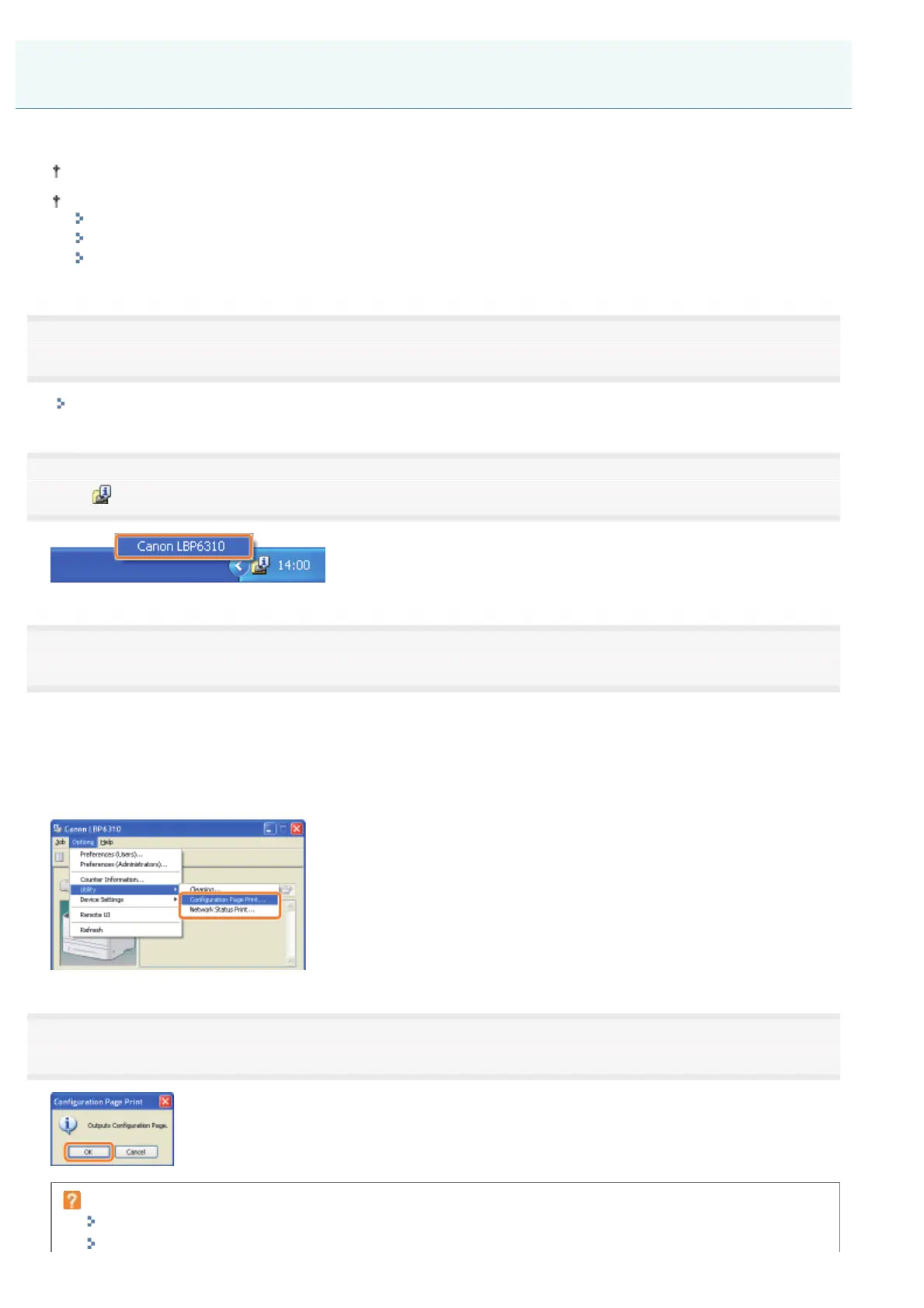
Click [ ] in the Windows task tray, and then select the printer name.
3
[Configuration Page Print]
Prints the settings of the printer unit, the total number of printed pages, and other printer information.
[Network Status Print]
Prints the TCP/IP settings including the IP address and information including security settings.
4
Click [OK] to print Status Print.
If Status Print is not printed
"Printing Cannot Be Performed (USB Connection)"
"Printing Cannot Be Performed (LAN Connection)"
Checking the Printer Settings
㻟㻟㻡㻌㻛㻌㻠㻡㻞














 To Next Page