07K5-05K
If you changed the IP address or name of the printer (the DNS name to be registered on the DNS server) after installing
the printer driver, you need to change the port to be used in the printer driver.
You cannot print unless you change the port.
1
Open the printer folder.
"Basic Operations/Various Information for Windows"
2
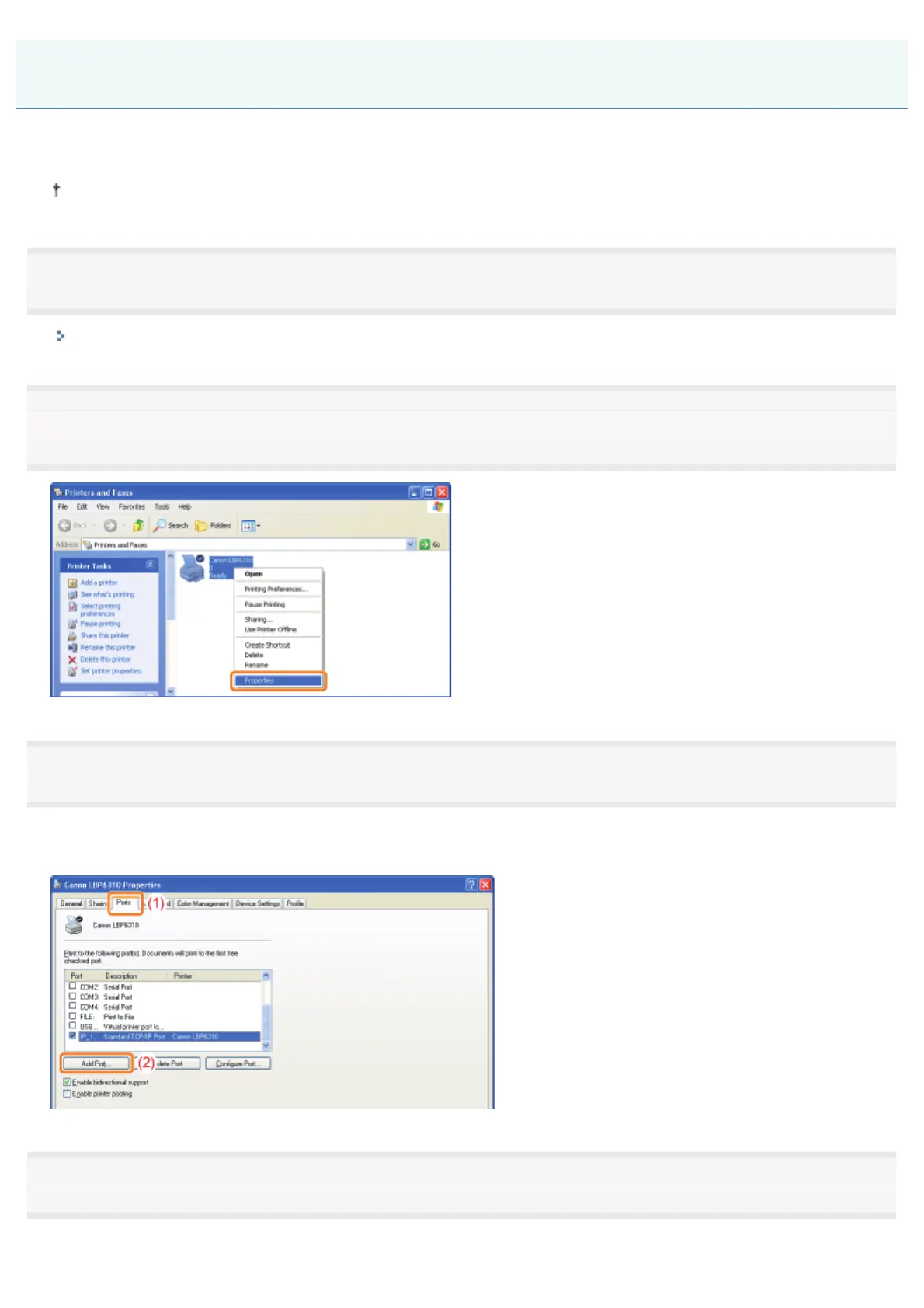
Right-click the icon for this printer, and then select [Properties] or [Printer properties] from the pop-
up menu.
3
Perform the following procedure.
(1) Display the [Ports] sheet.
(2) Click [Add Port].
4
Select the port type.
(1) Select [Standard TCP/IP Port].
When Changing the IP Address (Changing the Port)
㻞㻤㻜㻌㻛㻌㻠㻡㻞














 To Next Page