07K5-01S
Before cleaning the outside of the printer, see "Attention (Cleaning)."
1
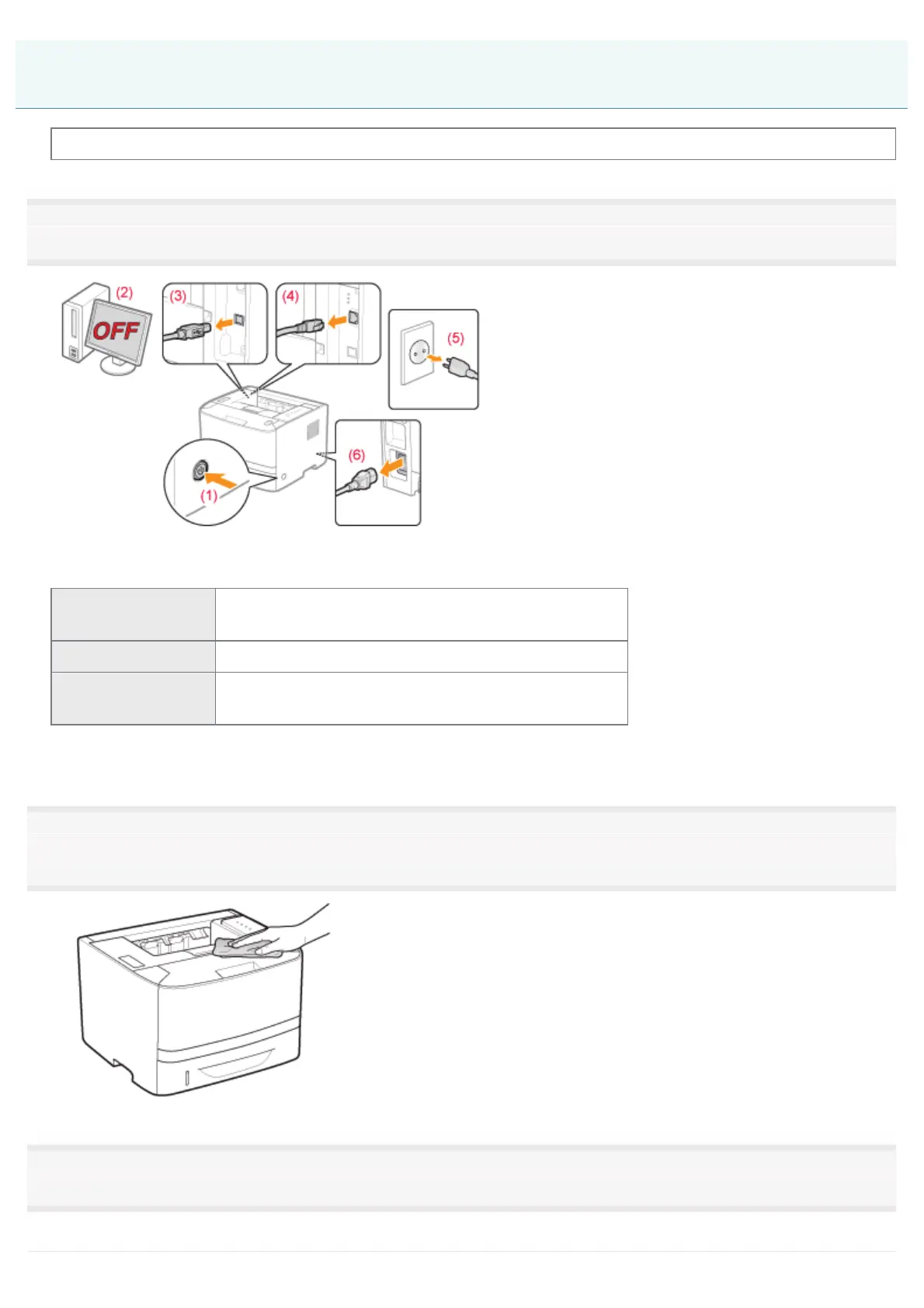
Turn the printer OFF, then disconnect the cables or cords from the printer.
<How to disconnect the cable or cord>
USB cable
*
(2) Turn the computer off.
(3) Disconnect the cable from the printer.
LAN cable
*
(4) Disconnect the cable from the printer.
Power cord
(5) Disconnect the power plug from the AC power outlet.
(6) Disconnect the cable from the printer.
*
Whether the cable is connected or not varies depending on your environment.
2
Firmly wring a soft cloth dampened with water or a mild detergent diluted with water, and wipe off
the dirt.
3
After wiping off the dirt, wipe the printer with a dry cloth.
Cleaning the Outside of the Printer
㻣㻥㻌㻛㻌㻠㻡㻞














 To Next Page